
Protect Your Business From Evolving Cyber Threats
We secure your digital assets with advanced security solutions, continuous monitoring, and expert risk management.
< NoobTron TechWork | 4 Months >
Specialization in Cloud-Native AI Systems | MLOps | Enterprise Automation
Inspired from Industry leaders









Industry leaders powering your journey in Cloud & DevOps
with specialization in AI & Platform Engineering.
FUTURE READY
Industry-Ready AI Skills
Build in-demand skills aligned with real-world industrial use cases.
DURATION
4 months program with hands-on projects
Intensive, practical learning with guided real-world projects.
CAMPUS
2 days on NoobTron Academy Campus, Chennai
Experience immersive learning and industry exposure on campus.
LIVE CLASSES
Live classes with 24/7 AI support
Learn live with expert mentors and get round-the-clock AI assistance.
FUTURE READY
Industry-Ready AI Skills
DURATION
2 Months With hands On Project
OPTIONAL
2 days on NoobTron Academy Campus, Chennai
FORMATE
Live Classes With 24/7 AI Support
Other programs teach DevOps tools. We engineer intelligent cloud ecosystems that automate, optimize, secure, and scale enterprise AI infrastructure.
From cloud-native orchestration and AI-integrated observability to autonomous deployment workflows, every module is designed around real enterprise infrastructure engineering, platform reliability, and production-grade AI operations.
AI-Native Infrastructure Engineering
Design and deploy intelligent infrastructure stacks using Kubernetes, Terraform, Docker, and cloud-native automation frameworks integrated with AI-driven operational intelligence and scalable platform engineering practices.
Enterprise Cloud & Platform Labs
Hands-on enterprise labs covering AWS, Azure, GCP, Kubernetes orchestration, Infrastructure as Code (IaC), GitOps pipelines, container security, observability engineering, and production-scale AI workload deployment.
AI-Augmented DevSecOps Simulation
Work on enterprise-grade CI/CD pipelines with integrated security automation, vulnerability scanning, policy enforcement, runtime monitoring, and AI-assisted incident detection aligned with modern DevSecOps ecosystems.
Real-Time MLOps & AIOps Workflows
Build intelligent operational systems using MLOps pipelines, AI monitoring agents, predictive infrastructure analytics, anomaly detection systems, model deployment automation, and self-healing cloud infrastructure architectures.







You'll Build Expertise With



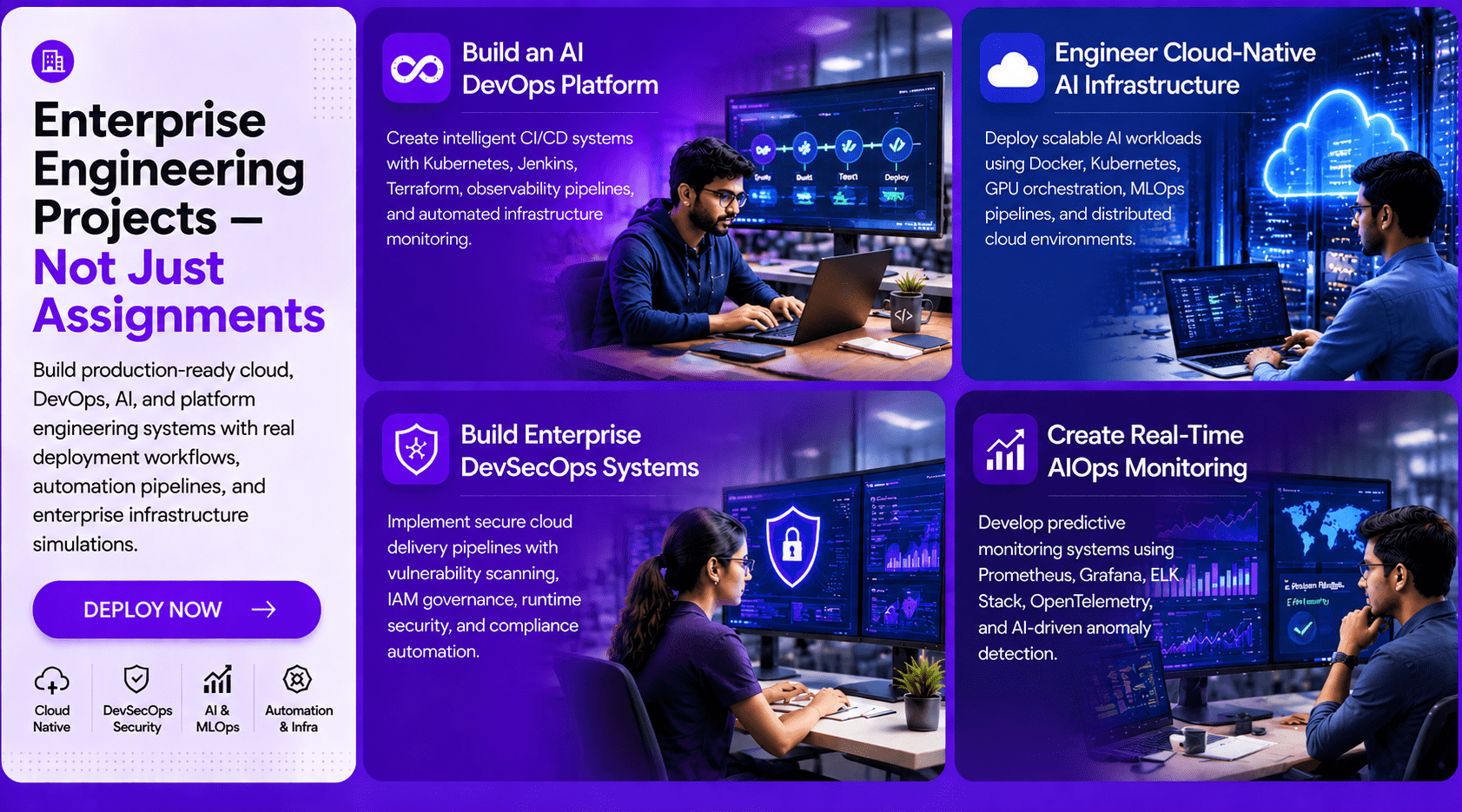
Enterprise Engineering Projects - Not Just Assignments
Build production-ready cloud, DevOps, AI, and platform engineering systems with real deployment workflows, automation pipelines, and enterprise infrastructure simulations.










A process built for results
Clear milestones, constant communication, and zero hand-waving. Here’s how we get from idea to impact.
STEP 1
Discovery & Success Criteria
We map your current workflows, identify bottlenecks, and define clear metrics for success.
STEP 2
Map Workflows + Data Access
We map your current workflows, identify bottlenecks, and define clear metrics for success.
STEP 3
Build + Test + Security Review
We map your current workflows, identify bottlenecks, and define clear metrics for success.
STEP 4
Launch + Monitor + Iterate
We map your current workflows, identify bottlenecks, and define clear metrics for success.
A step-by-step guide
Clear milestones, constant communication, and zero hand-waving. Here’s how we get from idea to impact.
STEP 1
Enterprise DevOps, Cloud Integrated AI Platform Engineering

Choose a learning path aligned with your career goals. Explore enterprise DevOps, cloud-native systems, CI/CD, and AI platform engineering for real-world impact.
STEP 2
Submit your application
Fill in your basic details, academic background, and work experience (if any). Upload the required documents and complete your application.
STEP 3
Registration completion
Once your application is reviewed and approved, complete the registration process by making the payment to confirm your seat in the batch.
STEP 4
NoobTron Trainee Offer Letter, be ready with the course schedule
Receive your NoobTron Trainee Offer Letter and get access to the complete course schedule, batch timeline, and onboarding resources. Get ready to begin your learning journey with NoobTron!
Prefer to talk first? +1 (234) 567-890
Explore Directly with Industry Experts
Solve Real Industrial Problems with 100+ Industries
100+ FOUNDERS
Real Industrial Use Cases
Work on live challenges from leading companies.
Expert-Led Brainstorming Sessions
Collaborate with industry experts & peers.
Data-Driven Problem Solving
Apply AI/ML to solve complex industrial problems.
Cross-Industry Exposure
Learn from 100+ industries and diverse use cases.
Director
NoobTron Private Limited
WHY CHOOSE US
Our programs help learners to use AI more confidently in day-to-day work. We combine education, real examples, and guided practice so people leave with skills they can apply immediately.
Case based Classroom
Meeting-Style Discussion & Debate
Case based Classroom
Meeting-Style Discussion & Debate
Case based Classroom
Meeting-Style Discussion & Debate
Case based Classroom
Meeting-Style Discussion & Debate
Introducing Azure Accelerate for Databases
Modernize your data for AI with experts and investments
Modernize Faster
AI-Ready Data
Built for Trust
Maximize Investments
By Jesse Sullivan, GM, Database Product Marketing
Download the eBook
aka.ms/AzureAccelerateDB
0-3 Years
Engineering Graduates, Junior Developers & Entry-Level DevOps Engineers
Engineering Graduates, Junior Developers & Entry-Level DevOps Engineers
WHAT YOU'LL GAIN
Foundations of Linux, Networking, Cloud Infrastructure & DevOps Engineering
Hands-on with Docker, Kubernetes (EKS/AKS/GKE), Terraform & CI/CD pipelines
AI-integrated infrastructure monitoring, observability & automated incident response
Practical exposure to MLOps workflows, GPU workloads & cloud-native AI deployment
Enterprise DevSecOps fundamentals with IAM, secrets management & compliance practices
3–7 Years
Software Engineers, Platform Engineers & DevOps Professionals
Software Engineers, Platform Engineers & DevOps Professionals
Transition from traditional deployment engineering into enterprise-scale platform orchestration and AI-integrated cloud operations. Master scalable architectures that power modern AI applications and distributed systems.
WHAT YOU'LL GAIN
Advanced Kubernetes orchestration, autoscaling & service mesh architectures
Infrastructure as Code (IaC) automation using Terraform, Ansible & GitOps
End-to-end CI/CD for AI and cloud-native enterprise applications
Observability engineering using Prometheus, Grafana, ELK & OpenTelemetry
MLOps pipelines for model deployment, monitoring & lifecycle management
Cloud security hardening, zero-trust infrastructure & DevSecOps implementation
7–12 Years
SREs, Security Engineers, Cloud Consultants & Data Infrastructure Engineers
SREs, Security Engineers, Cloud Consultants & Data Infrastructure Engineers
WHAT YOU'LL GAIN
Multi-cloud architecture design across AWS, Azure & Google Cloud
Enterprise Site Reliability Engineering (SRE) practices & SLA/SLO management
AI-powered infrastructure optimization and predictive system monitoring
Scalable data platform engineering for AI/ML workloads and real-time systems
Advanced Kubernetes security, policy enforcement & workload governance
Disaster recovery, resiliency engineering & enterprise-grade automation frameworks
12+ Years
Cloud Architects, Engineering Managers & Technology Leaders
Cloud Architects, Engineering Managers & Technology Leaders
Drive enterprise AI infrastructure strategy and architect cloud-native digital transformation programs for large-scale organizations.
WHAT YOU'LL GAIN
Enterprise platform engineering and internal developer platform (IDP) design
AI-integrated enterprise infrastructure governance & automation strategy
Cloud FinOps, infrastructure optimization & scalable resource management
Strategic implementation of DevSecOps and AI operations frameworks
Leadership in cloud modernization, hybrid infrastructure & platform scalability
Executive-level understanding of AI infrastructure transformation roadmaps
"I want to build, automate and scale cloud solutions that make systems reliable, secure and future-ready."
– Azure Cloud Solutions Architect Learner
Explore Directly with Industry Experts
Who is NoobTron TechWorks For?
100+ FOUNDERS
Freshers & Engineering Graduates
Move beyond infrastructure management and develop the skills required to architect, secure, and optimize enterprise Azure environments. Learn how modern organizations design scalable cloud platforms.
Software Developers & IT Professionals
Looking to transition into Cloud Engineering, DevOps, DevSecOps, MLOps, SRE, and AI-integrated infrastructure engineering domains.
Working Professionals Seeking Career Acceleration
Professionals aiming to modernize their infrastructure expertise with Kubernetes, Cloud Automation, AI Operations, and enterprise-scale deployment engineering.
Curriculum designed to Master DevOps, Cloud & AI Engineering
Module 1
- 10 hours
Networking Fundamentals
- What is Networking? — purpose, scope, and role in cloud and DevOps environments
- Types of Networks — LAN, WAN, MAN, PAN: characteristics and use cases
- Networking Devices — routers, switches, hubs, bridges, firewalls, access points
- IP Address — structure, notation, classes (A, B, C, D, E)
- IPv4 vs IPv6 — address format, exhaustion problem, dual-stack transition
- Public IP vs Private IP — NAT translation, RFC 1918 ranges (10.x, 172.16.x, 192.168.x)
- Subnetting — CIDR notation, subnet mask calculation, host count, network/broadcast IDs
- OSI Model — 7 layers (Physical → Application), protocols and devices at each layer
- What is DNS — resolution process, record types (A, CNAME, MX, NS, PTR, TXT)
- What is VPN — site-to-site vs remote access, tunnelling protocols (IPsec, OpenVPN, WireGuard)
- What is NAT — static, dynamic, PAT (Port Address Translation) — how internet sharing works
- Network topology diagram: design a 3-tier LAN with subnetting
- Subnet calculation exercise: divide 192.168.1.0/24 into 8 subnets
- DNS resolution trace using nslookup and dig on Linux
- Cisco Packet Tracer (network simulation)
- Wireshark (packet analysis)
- nslookup / dig / traceroute
- IP Subnet Calculator
Working development environment ready for Django projects
Module 2
- 6 hours
Networking Security
- Virus and Malware — types (worm, trojan, ransomware), infection vectors, impact
- Keyloggers — hardware vs software keyloggers, detection and removal strategies
- Brute Force Attacks — password cracking methods, account lockout defences
- SIM Swapping — social engineering attack on mobile numbers, MFA bypass risks
- Phishing Attacks — email, spear phishing, smishing, vishing: recognition and defence
- Other threats — DDoS, Man-in-the-Middle, SQL injection, port scanning
- Antivirus and Anti-malware — signature-based vs behavioural detection, endpoint protection
- PCI DSS Compliance — what it is, who needs it, 12 core requirements overview
- Password Vault / Password Managers — enterprise PAM (Privileged Access Management)
- Firewalls — stateless vs stateful, WAF (Web Application Firewall), iptables on Linux
- Security best practices — principle of least privilege, network segmentation, zero trust intro
- Configure iptables rules to allow HTTP/HTTPS and deny all other inbound
- Simulate phishing email identification exercise with sample samples
- Password policy audit: test a set of passwords against complexity requirements
- iptables / ufw (Linux firewall)
- Wireshark (traffic analysis)
- VirusTotal (malware checking)
- Bitwarden / KeePass (password vault)
Confident Python fundamentals to write Django views and models
Module 3
- 4 hours
Cloud Computing Introduction
- Difference Between Cloud and Virtualisation — hypervisor, VM, containers vs cloud abstraction
- What is Cloud Computing — NIST definition, on-demand self-service, elasticity, measured service
- Types of Cloud Service Models:
- IaaS (Infrastructure as a Service) — EC2, Azure VMs, Google Compute Engine
- PaaS (Platform as a Service) — Elastic Beanstalk, Azure App Service, Google App Engine
- SaaS (Software as a Service) — Office 365, Salesforce, Google Workspace
- Cloud Deployment Models — Public, Private, Hybrid, Multi-cloud: pros and cons
- Difference Between On-Premises / Hosting / Cloud — CAPEX vs OPEX, responsibility model
- Major Cloud Providers — AWS (market leader), Azure (Microsoft), GCP (Google): key strengths
- Shared responsibility model diagram: map who owns what in IaaS/PaaS/SaaS
- Cloud provider comparison table: AWS vs Azure vs GCP by service category
- Cost comparison exercise: on-prem server vs equivalent AWS EC2
- AWS Free Tier account
- Azure Free account
- GCP Free Tier account
Module 4
- 10 hours
Linux for Cloud & DevOps
- What is an Operating System — Shell (bash, zsh) and Kernel (monolithic, modular)
- Difference Between Linux and Windows — file system, case sensitivity, package managers
- Linux Distributions — Ubuntu (Debian-based), CentOS/RHEL (RPM-based), Amazon Linux
- Basic Commands — ls, cd, pwd, mkdir, rmdir, cp, mv, rm, cat, less, more, head, tail
- File System Hierarchy — /, /etc, /var, /home, /usr, /bin, /sbin, /tmp, /opt
- SSH (Secure Shell) — key-based authentication, ssh-keygen, ~/.ssh/authorized_keys
- SCP (Secure Copy) — copying files to/from remote servers securely
- File Permissions — rwx notation, chmod (symbolic and octal), chown, chgrp, umask
- Package Management — apt (Ubuntu), yum/dnf (CentOS/RHEL), rpm basics
- Apache Web Server — installation, configuration (/etc/apache2 or /etc/httpd), virtual hosts, starting/stopping services
- Crontab — cron syntax (minute hour day month weekday), scheduling recurring jobs
- IPTABLES — tables (filter, nat, mangle), chains (INPUT, OUTPUT, FORWARD), rule syntax
- Text editors — vim/nano: open, edit, save, quit in both editors
- Process management — ps, top, htop, kill, killall, systemctl, journalctl
- Configure an Apache web server from scratch on Ubuntu EC2
- Set up key-based SSH access and disable password authentication
- Create crontab jobs for automated backup and log rotation
- Ubuntu / CentOS (VM or AWS EC2)
- PuTTY / Terminal
- Apache HTTP Server
- vim / nano
Module 5
- 40 hours
AWS Solutions Architect — Core Services
- What is VPC (Virtual Private Cloud) — subnets (public/private), route tables, internet gateway, NAT gateway
- What is EC2 (Elastic Compute Cloud) — virtual machine in the cloud
- Instance Types — On-Demand, Reserved, Savings Plans, Spot: cost vs commitment
- Launching EC2 Instances — Linux and Windows: AMI selection, instance type, security groups, key pair
- Running Web Servers on EC2 — Apache/Nginx installation and configuration
- Elastic IP — static public IP, association, release, billing
- Load Balancers — Classic (CLB), Application (ALB), Network (NLB), Gateway (GWLB): use cases
- Auto Scaling — launch templates, scaling policies (target tracking, step, scheduled)
- Virtual Private Cloud with VPN — site-to-site VPN, customer gateway, virtual private gateway
- Elastic Block Storage (EBS) — volume types (gp3, io2, st1, sc1), attach/detach, snapshots
- Snapshot and AMI — creating AMIs from snapshots, cross-region copy, sharing
- Elastic File Share (EFS) — managed NFS, mount targets, performance modes, use cases
- S3 Bucket — buckets, objects, versioning, lifecycle policies, storage classes, bucket policies, ACLs
- Relational Database Service (RDS) — supported engines (MySQL, PostgreSQL, Aurora), Multi-AZ, read replicas
- DynamoDB — NoSQL, tables, items, primary key (partition + sort), on-demand vs provisioned capacity
- IAM (Identity and Access Management) — users, groups, roles, policies (managed vs inline), MFA
- AWS Lambda — function creation, triggers (API Gateway, S3, EventBridge), execution role, cold start
- AWS Cognito — user pools, identity pools, OAuth 2.0 / OIDC integration for app authentication
- CloudFront — CDN, distributions, origins, cache behaviours, signed URLs
- CloudTrail — API call logging, event history, trails, S3 log delivery
- CloudWatch — metrics, dashboards, alarms, log groups, log insights
- Simple Email Service (SES) — sending transactional email, SMTP interface, sending limits
- Simple Notification Service (SNS) — topics, subscriptions (email, SMS, Lambda, SQS), fan-out
- AWS Troubleshooting — common EC2 launch issues, security group/NACL debugging, IAM permission errors
- Deploy a 2-tier web application (EC2 + RDS) in a custom VPC with public/private subnets
- Configure ALB with Auto Scaling group across 2 AZs
- Set up S3 static website hosting with CloudFront CDN and custom domain
- Build a serverless API with Lambda + API Gateway + DynamoDB
- AWS Console + AWS CLI
- EC2, VPC, S3, RDS, Lambda, IAM
- CloudWatch, CloudTrail, CloudFront
- Route 53 (DNS)
Module 6
- 40 hours
DevOps Foundations — Git, Jenkins, Ansible & Docker
- What is DevOps — breaking down Dev/Ops silos, CALMS (Culture, Automation, Lean, Measurement, Sharing)
- Agile vs Waterfall — sprint-based delivery, ceremonies, Scrum vs Kanban
- DevOps Topology — team structures: DevOps as a separate team vs embedded
- House of DevOps — pillars: collaboration, automation, continuous improvement
- DevOps Lifecycle — Plan → Code → Build → Test → Release → Deploy → Operate → Monitor
- Repository Management — local vs remote repos, GitHub, GitLab, Bitbucket
- Git Commands — init, clone, add, commit, push, pull, fetch, status, log, diff
- Git Lifecycle — working directory → staging area → local repo → remote repo
- Branching Strategies — feature branches, GitFlow, trunk-based development
- Repository Management — .gitignore, tagging, pull requests, code reviews
- CI/CD Concepts — Continuous Integration, Continuous Delivery, Continuous Deployment
- Jenkins Installation — on EC2 (Java, package install, systemd service)
- Jenkins Jobs — freestyle jobs, parameterised builds, build triggers (webhook, schedule)
- Jenkins Pipelines — Declarative vs Scripted Pipeline, Jenkinsfile, stages and steps
- Windows Deployment with Jenkins — agents, MSBuild, PowerShell steps
- Jenkins Plugins — Git, Docker, Ansible, Slack notification plugins
- Configuration Management — why it matters, drift prevention, idempotency
- Comparison: Puppet vs Chef vs Ansible — agent vs agentless, DSL vs YAML, push vs pull
- Ansible Installation — control node setup, SSH key distribution to managed nodes
- Inventory — static inventory file, dynamic inventory, groups and variables
- Ad-hoc Commands — ansible -m ping, shell, copy, yum, service modules
- Ansible Roles — role directory structure (tasks, handlers, vars, templates, files, defaults)
- What is Containerisation — containers vs VMs, namespaces, cgroups, union filesystems
- Docker Hub — public registry, pulling official images, push/pull workflow
- Docker Volumes — data persistence, bind mounts, named volumes, volume inspection
- Dockerfile — FROM, RUN, COPY, ADD, EXPOSE, CMD, ENTRYPOINT instructions
- Building Docker Images — docker build, tagging, multi-stage builds intro
- Docker Commands — run, start, stop, rm, ps, exec, logs, inspect, network
- Project 1: Jenkins CI/CD pipeline deploying a web application to AWS EC2 web servers
- Project 2: Jenkins orchestrating Ansible for configuration + Docker for containerised app deployment
- End-to-end pipeline: Git push → Jenkins trigger → Ansible configure → Docker deploy → live on EC2
- Jenkins multibranch pipeline with GitHub webhook integration
- Ansible playbook to provision and configure 3 EC2 instances with LAMP stack
- Dockerise a Node.js/Python web app and push to Docker Hub
- Full CI/CD: Git → Jenkins → Ansible → Docker → AWS EC2
- Git + GitHub
- Jenkins
- Ansible
- Docker + Docker Hub
- AWS EC2
- Linux Command Line
- Git Version Control
- Basic Cloud Computing
- Python or Bash Scripting
- Enterprise CI/CD Platform with Kubernetes
- GitOps Deployment Pipeline
- AI-powered Infrastructure Monitoring
- Containerized Microservices Platform
- Docker & Kubernetes
- Jenkins & GitHub Actions
- Terraform & Infrastructure as Code
- DevSecOps & Observability
Module 1
- 40 hours
Scripting for Cloud & DevOps
- Shell script structure — shebang (#!), script permissions (chmod +x), execution
- Variables — local, global, environment variables, quoting rules
- Input and arguments — $1, $2, $@, $#, read command
- Control flow — if/elif/else, case statements, test expressions ([ ] and [[ ]])
- Loops — for, while, until, break, continue, looping over files and arrays
- Functions — definition, parameters, return values, local scope
- String manipulation — concatenation, substring, length, sed, awk, grep
- File operations — reading files line by line, writing output, file tests (-f, -d, -e)
- Error handling — exit codes ($?), trap for cleanup on exit/signal
- Script debugging — set -x (trace), set -e (exit on error), set -u (undefined vars)
- Process management scripts — start/stop/restart services, PID management
- Log analysis scripts — parsing /var/log files, alerting on error patterns
- Backup automation scripts — rsync, tar, timestamped archives to S3
- System health check scripts — disk usage, memory, CPU thresholds with email alerts
- Scheduled automation — combining crontab with Bash scripts for maintenance tasks
- Bash arrays and associative arrays — declaration, iteration, key-value storage
- YAML fundamentals — key-value pairs, indentation rules, scalar types
- YAML data structures — lists (sequences), maps (mappings), nested structures
- Multi-line strings — literal block (|) and folded block (>) scalars
- YAML anchors and aliases — &anchor, *alias for DRY configuration
- YAML in DevOps — Ansible playbooks, Docker Compose, Kubernetes manifests, GitHub Actions
- YAML validation and linting — yamllint, VS Code YAML extension
- PowerShell fundamentals — cmdlets (Verb-Noun), pipeline, objects vs text
- Variables, data types, arrays, and hash tables in PowerShell
- Control flow — if/elseif/else, switch, foreach, while loops
- Working with files and folders — Get-Item, Set-Item, Copy-Item, Remove-Item
- PowerShell remoting — Enter-PSSession, Invoke-Command for remote automation
- PowerShell for AWS — AWS Tools for PowerShell: managing EC2, S3, IAM
- PowerShell for Azure — Az module: managing Azure VMs, Resource Groups
- Scripting best practices — error handling with try/catch, write-verbose, modules
- Bash script: automated EC2 health check + CloudWatch alert trigger
- Shell script: daily log rotation and archive upload to S3
- PowerShell: Azure VM provisioning and IIS web server configuration
- YAML: Docker Compose file for 3-tier web application stack
- Bash / sh (Linux)
- PowerShell 7 + AWS Tools for PowerShell
- yamllint + VS Code
- AWS CLI v2
Module 2
- 40 hours
AWS Containers & Kubernetes (EKS)
- What is AWS CloudFormation — infrastructure as code, stacks, change sets
- CloudFormation Template Structure — AWSTemplateFormatVersion, Parameters, Mappings, Resources, Outputs
- Writing CloudFormation templates — EC2, VPC, Security Group, ALB resources
- Stack operations — create, update, delete, rollback, drift detection
- Nested stacks — modularising templates for reuse
- CloudFormation StackSets — deploying across multiple accounts and regions
- AWS Migration Strategies — 6 Rs: Rehost, Replatform, Refactor, Repurchase, Retire, Retain
- AWS Migration Tools — Server Migration Service (SMS), Database Migration Service (DMS)
- AWS Application Discovery Service — inventory and dependency mapping
- Migration phases — discovery, planning, migration, optimise and operate
- What is Elastic Beanstalk — PaaS for web applications, supported platforms
- Deploying applications — environments (Web Server vs Worker), deployment policies
- Environment configuration — instance type, scaling, health reporting
- Beanstalk CLI (eb CLI) — create, deploy, status, terminate commands
- ECS Architecture — clusters, task definitions, services, tasks
- Launch types — EC2 launch type vs Fargate (serverless containers)
- Task Definitions — container definitions, CPU/memory, port mappings, IAM task roles
- ECS Services — desired count, rolling update, blue/green deployment with CodeDeploy
- ECR (Elastic Container Registry) — private Docker registry, push/pull workflow
- What is Kubernetes — container orchestration, why Kubernetes over plain Docker
- Kubernetes Architecture — control plane (API server, etcd, scheduler, controller manager), worker nodes (kubelet, kube-proxy, container runtime)
- Core Objects — Pods, ReplicaSets, Deployments, Services (ClusterIP, NodePort, LoadBalancer), ConfigMaps, Secrets
- Namespaces — resource isolation, RBAC per namespace
- kubectl commands — get, describe, apply, delete, logs, exec, port-forward
- K8s Troubleshooting — CrashLoopBackOff, ImagePullBackOff, Pending, OOMKilled diagnosis
- What is EKS — managed Kubernetes control plane on AWS
- Creating an EKS Cluster — eksctl, AWS Console, cluster roles and node groups
- Creating K8s Infrastructure in AWS — VPC, subnets, node IAM roles, kubeconfig setup
- Managed Node Groups vs Fargate profiles
- EKS Add-ons — CoreDNS, kube-proxy, VPC CNI, AWS Load Balancer Controller
- K8s Deployments on EKS — replicas, rolling updates, resource limits, HPA (Horizontal Pod Autoscaler)
- CloudFormation template: deploy full VPC + EC2 + ALB + RDS stack
- ECS Fargate service running a Dockerised web application with ECR
- EKS cluster with eksctl: deploy a multi-replica app with HPA
- Full K8s deployment: multiple apps with different replica counts and services
- AWS CloudFormation + eksctl
- kubectl + Helm
- AWS ECS + ECR + Fargate
- Amazon EKS
Module 3
- 20 hours
Terraform with AWS — Infrastructure as Code
- What is Terraform — HashiCorp IaC tool, declarative vs imperative, provider ecosystem
- Terraform vs CloudFormation vs Pulumi — comparison of IaC tools
- Terraform Basics — HCL (HashiCorp Configuration Language) syntax, .tf file structure
- Installing and Configuring Terraform — binary download, PATH, terraform init
- AWS Provider — authentication (environment variables, IAM roles, profiles), version pinning
- Resource blocks — aws_instance, aws_vpc, aws_security_group, aws_s3_bucket
- Variables and Outputs — input variables (type, default, description), output values
- Locals — computed values, reuse within a configuration
- Data Sources — querying existing AWS resources (aws_ami, aws_vpc)
- Terraform Plan and Apply — understanding execution plans, approving changes
- Terraform Destroy — safely tearing down infrastructure
- Terraform State — terraform.tfstate, what it tracks, sensitivity of state files
- Remote State — S3 backend with DynamoDB state locking — best practice for teams
- State Commands — terraform state list, show, mv, rm
- Workspaces — creating dev/staging/prod environments from same configuration
- Terraform Import — importing existing AWS resources into Terraform state
- Modules — creating reusable modules, module sources (local, registry, GitHub)
- Terraform Registry — using community modules (VPC, EC2, EKS modules)
- Count and For-Each — creating multiple similar resources dynamically
- Provisioners — local-exec, remote-exec (use sparingly — anti-pattern discussion)
- Error Handling and Debugging — terraform validate, terraform fmt, -refresh=false
- Terraform Automation — CI/CD integration with GitHub Actions, Atlantis for PR-based workflows
- Terraform Security — tfsec, Checkov for static analysis; sensitive variable handling
- Terraform Compliance — OPA (Open Policy Agent) for policy-as-code guardrails
- Terraform config: create VPC + public/private subnets + EC2 + security groups
- Reusable Terraform module for EC2 web server with configurable instance type
- Remote state in S3 + DynamoDB locking for team collaboration
- CI/CD pipeline: GitHub Actions running terraform plan/apply on PR merge
- Terraform CLI
- AWS Provider + Terraform Registry
- tfsec + Checkov
- GitHub Actions + Atlantis
Module 4
- 20 hours
Monitoring Tools — Nagios, Splunk & Grafana
- What is Nagios — open-source monitoring, host and service checks, alerting
- Nagios Architecture — Nagios Core, NRPE (Nagios Remote Plugin Executor), NSCA
- Installation — Nagios Core on Ubuntu/CentOS, dependencies (Apache, PHP, GCC)
- Agent Configuration — installing NRPE on monitored servers, plugin setup
- Server Configuration — nagios.cfg, hosts.cfg, services.cfg, contacts.cfg
- Monitoring Services — HTTP, SSH, disk usage, CPU load, memory, custom scripts
- Alerting — email notification setup, escalation policies, downtime scheduling
- Nagios web UI — host/service status, tactical overview, event log
- What is Splunk — machine data platform, indexing, searching, reporting
- Splunk Architecture — Indexers, Search Heads, Forwarders (Universal, Heavy)
- Installation — Splunk Enterprise on Linux, initial setup, admin password
- Universal Forwarder Installation — deploying on monitored servers, inputs.conf
- Data Ingestion — monitors, log files, syslog, AWS S3 inputs
- Splunk Search Processing Language (SPL) — basic search, field extraction, stats, timechart
- Dashboards and Alerts — creating dashboards, setting threshold-based alerts
- Splunk for Security — security use cases, failed login detection, anomaly alerts
- What is Grafana — open-source analytics and visualisation platform
- Grafana Architecture — Grafana server, data sources, panels, dashboards
- Installation — Grafana on Ubuntu/CentOS, systemd service, default port 3000
- Data Source Configuration — Prometheus, InfluxDB, CloudWatch, Elasticsearch integration
- Prometheus Setup — scraping EC2 metrics with Node Exporter, alertmanager
- Building Dashboards — panels (graph, stat, gauge, table), variables, annotations
- Alerts — alert rules, notification channels (email, Slack, PagerDuty)
- Grafana + Nagios integration — forwarding Nagios alerts to Grafana
- Nagios monitoring: 3 EC2 instances with CPU, disk, HTTP checks + email alerts
- Splunk: ingest EC2 access logs and create SPL-based security dashboard
- Grafana + Prometheus: full EC2 metrics dashboard with alert to Slack
- Nagios + Splunk + Grafana integrated monitoring stack for a web application
- Nagios Core + NRPE
- Splunk Enterprise (free licence)
- Grafana + Prometheus + Node Exporter
- AWS CloudWatch (as Grafana data source)
Module 5
- 20 hours
Intermediate Live Projects & Capstone
- Automate creation of a Kubernetes (K8s) architecture in EKS using CloudFormation
- Provision VPC, subnets, node groups, IAM roles via CloudFormation template
- Deploy EKS cluster with worker nodes and validate with kubectl
- Configure kubeconfig and verify node readiness
- Deploy multiple different applications on the EKS K8s infrastructure
- Configure different Replica sets for each application
- Expose applications via LoadBalancer and NodePort services
- Test horizontal scaling with HPA under simulated load
- Create EC2 servers using Terraform with modular configuration
- Configure Apache/Nginx web servers on provisioned instances via remote-exec or Ansible
- Set up security groups, elastic IPs, and health checks
- Monitor EC2 instances using Nagios for host availability and service checks
- Stream EC2 logs to SPLUNK via Universal Forwarder and create SPL dashboards
- Build Grafana + Prometheus dashboard for real-time metrics visualisation
- Integrate alerting: Nagios email + Splunk alerts + Grafana Slack notification
- CloudFormation-provisioned EKS cluster with Kubernetes deployments
- Multi-replica K8s application stack with autoscaling
- Terraform-managed EC2 web server fleet
- Integrated Nagios + Splunk + Grafana monitoring platform
- eksctl + kubectl + CloudFormation
- Terraform + Ansible
- Nagios + Splunk + Grafana
- AWS EC2 + EKS + CloudWatch
- Beginner level completed
- Comfortable with Django MTV
- Basic JavaScript knowledge
- Familiar with HTML forms
- Task manager with user accounts
- AJAX live updates (add/complete)
- User profile with photo upload
- Role-based dashboard access
- Class-Based Views mastery
- Full authentication system
- AJAX + Django integration
- Advanced ORM queries
Module 1
- 20 hours
AWS Native DevOps — CodeCommit to CodePipeline
- AWS DevOps Philosophy — managed services replacing self-hosted Jenkins/Git
- DevOps Lifecycle Using AWS Native Tools — source → build → test → deploy → monitor
- What is CodeCommit — fully managed Git repository service on AWS
- Setting up CodeCommit — repository creation, IAM user with Git credentials or HTTPS (GRC)
- CodeCommit workflows — clone, push, pull, branching strategies, pull requests
- Notifications and triggers — SNS triggers on branch push, CodeCommit events
- Migrating from GitHub/GitLab to CodeCommit
- What is CodeBuild — fully managed build service, no Jenkins server to maintain
- buildspec.yml — phases (install, pre_build, build, post_build), artifacts, environment variables
- Build environments — managed images (Ubuntu, Amazon Linux), custom Docker images
- CodeBuild and Docker — building Docker images and pushing to ECR in buildspec
- Build caching — S3 caching, local caching for faster builds
- CodeBuild reports — test results, code coverage integration
- What is CodeDeploy — automated deployment to EC2, ECS, Lambda, or on-premises
- AppSpec file (appspec.yml) — lifecycle event hooks (BeforeInstall, AfterInstall, ApplicationStart)
- Deployment Configurations — AllAtOnce, HalfAtATime, OneAtATime
- Deployment Groups — EC2 tag-based, Auto Scaling group deployments
- Blue/Green Deployments — ECS blue/green with CodeDeploy + ALB
- Rollback — automatic rollback on alarm or deployment failure
- What is CodePipeline — visual CI/CD orchestration service
- Pipeline Structure — stages (Source, Build, Test, Deploy, Approval), actions, transitions
- Source integrations — CodeCommit, GitHub, S3 triggers
- Build stage — CodeBuild action configuration, environment overrides
- Deploy stage — CodeDeploy, ECS, Elastic Beanstalk, CloudFormation deploy actions
- Manual Approval Actions — human gate before production deployment
- Pipeline notifications — CloudWatch Events → SNS → email/Slack
- Full AWS pipeline: CodeCommit → CodeBuild → CodeDeploy → EC2 Auto Scaling group
- Blue/green ECS deployment: CodePipeline + CodeDeploy + ALB listener switching
- Lambda deployment pipeline with CodePipeline + CodeBuild + SAM
- AWS CodeCommit, CodeBuild, CodeDeploy, CodePipeline
- AWS ECR + ECS + Lambda
- appspec.yml + buildspec.yml
- CloudWatch Events + SNS
Module 2
- 30 hours
Microsoft Azure Cloud Services
- Introduction to Microsoft Azure — global infrastructure, regions, availability zones, resource groups
- Azure Resource Manager (ARM) — ARM templates, resource hierarchy, management groups
- Introduction to Azure Storage — Blob, File, Queue, Table storage accounts
- Storage Account types — Standard/Premium, LRS/GRS/ZRS redundancy options
- Azure Blob Storage — containers, blobs (block, append, page), access tiers (Hot, Cool, Archive)
- Azure File Storage — SMB/NFS shares, mount on Windows/Linux, Azure File Sync
- Azure Virtual Machines — VM sizes, images (Marketplace, custom), disks (Managed Disks, Azure Disk Encryption)
- VM Availability — Availability Sets vs Availability Zones, VMSS (Virtual Machine Scale Sets)
- Azure App Service — Web Apps, API Apps, deployment slots, continuous deployment from GitHub
- Azure Container Services — Azure Container Instances (ACI), Azure Kubernetes Service (AKS) overview
- Azure Functions — serverless compute, triggers and bindings, Consumption vs Premium plan
- Azure Networking I — Virtual Networks (VNets), subnets, NSGs (Network Security Groups), service endpoints
- Azure Networking II — VNet Peering, VPN Gateway (site-to-site, point-to-site), ExpressRoute
- Azure Load Balancer — Layer 4, internal vs external, backend pools, health probes
- Azure Application Gateway — Layer 7, WAF, URL routing, SSL termination
- Azure DNS — public and private DNS zones, record sets, alias records
- Authentication and Authorisation in Azure using RBAC — built-in roles (Owner, Contributor, Reader), custom roles
- Role Assignment — scope levels (Management Group, Subscription, Resource Group, Resource)
- Microsoft Azure Active Directory (AAD/Entra ID) — tenants, users, groups, service principals, app registrations
- Multi-Factor Authentication (MFA) — Conditional Access policies, MFA registration, SSPR
- Azure Key Vault — secrets, keys, certificates management, access policies vs RBAC
- Azure Monitor — metrics, logs (Log Analytics workspace), alerts, action groups
- Azure Monitor Dashboards — workbooks, metric charts, alert rules
- Migration in Azure — Azure Migrate (assessment, server migration), Azure Database Migration Service
- Azure Data Platform I — Azure SQL Database, SQL Managed Instance, SQL Server on VM comparison
- Azure Data Platform II — Azure Cosmos DB (multi-model NoSQL), Azure Synapse Analytics intro, Azure Data Factory
- Deploy a 3-tier web app on Azure: App Service + Azure SQL + Azure CDN
- Azure VNet with NSGs: deploy VMs in public/private subnets with peering
- Configure AAD app registration + RBAC for a multi-team Azure subscription
- Azure Migrate assessment for a mock on-premises workload migration
- Azure Portal + Azure CLI (az)
- Azure Resource Manager (ARM) / Bicep
- Azure Monitor + Log Analytics
- Azure Active Directory (Entra ID)
Module 3
- 20 hours
Azure DevOps — Boards, Repos, Pipelines & Release
- What is Azure DevOps — SaaS platform, five services: Boards, Repos, Pipelines, Test Plans, Artifacts
- Create New Organisation & Project — naming, visibility (public/private), process template (Agile, Scrum, CMMI)
- Detailed View of Organisation & Project — settings, permissions, billing, extensions marketplace
- Azure Boards — work items, backlogs, sprints, Kanban boards
- Work Item Types — Epics, Features, User Stories, Tasks, Bugs (Agile process)
- Sprint Planning — capacity, sprint goals, drag-and-drop prioritisation
- Queries and Dashboards — custom queries, widget-based dashboards for team metrics
- GitHub integration — linking commits and PRs to Azure Boards work items
- Azure Repos — Git repositories hosted in Azure DevOps
- Repository Operations — clone, push, pull, branches, tags
- Branch Policies — minimum reviewers, linked work items, build validation
- Pull Requests — reviewers, comments, approval workflows, merge strategies
- Importing from GitHub/Bitbucket — migration and synchronisation
- Azure Pipeline Architecture — agents, pools, stages, jobs, steps
- Create Self-Hosted Agents — Windows/Linux agent registration, agent pools
- Microsoft-Hosted Agents — ubuntu-latest, windows-latest, macOS, capabilities
- YAML Pipeline Syntax — trigger, pool, variables, steps (script, task, checkout)
- Built-in Tasks — DotNetCoreCLI, Maven, Docker, AzureWebApp, PublishBuildArtifacts
- Parallel Jobs — concurrency, parallelism, free tier vs paid limits
- Library — Variable Groups — storing pipeline variables and secrets in Library
- Service Connections — AWS, Azure, Docker Registry, GitHub connections for pipeline access
- Azure Release Pipeline vs YAML CD — classic UI-based release management
- Stages and Environments — dev, test, staging, production with approvals
- Deployment Groups — deploying to sets of target VMs (on-prem or cloud)
- Pre/Post-Deployment Approvals — human gate and automated gates (Azure Monitor, REST API)
- Environment-Specific Variables — variable groups per environment, secrets
- Integration with Kubernetes — deploying to AKS from Azure Release Pipeline
- Rollback Strategies — redeploying previous release version
- Azure Boards sprint: create Epic → Feature → Stories → Tasks for a DevOps project
- YAML CI pipeline: build a Docker image, push to ACR, trigger on PR
- Multi-stage YAML pipeline: dev → staging → production with approval gates
- Release pipeline: deploy to AKS from Azure Container Registry
- Azure DevOps (dev.azure.com)
- Azure Container Registry (ACR)
- Azure Kubernetes Service (AKS)
- GitHub + Azure Boards integration
Module 4
- 20 hours
Python for Cloud & DevOps Automation
- What is a Programming Language — compiled vs interpreted, Python’s role in DevOps/Cloud
- Advantages of Python — simplicity, vast library ecosystem, automation capabilities
- Python Installation — Python 3.x, pip, virtual environments (venv)
- Creating Python Modules — using IDLE and VS Code, .py file structure
- Variables and Data Types — int, float, str, bool, type(), type conversion
- Keywords — reserved words, naming conventions (PEP 8)
- Input from User — input(), type casting inputs
- Operators — Arithmetic (+, -, *, /, //, %, **), Assignment, Comparison (==, !=, >, <), Membership (in, not in)
- Conditional Logic — if/elif/else, nested if, ternary expressions
- While Loop — while condition, break, continue, else clause
- For Loop — iterating over lists, range(), enumerate(), zip()
- Collections — Lists: indexing, slicing, append, extend, pop, sort
- Tuples — immutable sequences, tuple unpacking, use cases
- Sets — unique elements, set operations (union, intersection, difference)
- Dictionary — key-value storage, .get(), .items(), .keys(), .values(), nested dicts
- List/Dict Comprehensions — concise data transformation
- Functions — def, parameters, default arguments, *args, **kwargs, return values
- Lambda Functions — anonymous functions for simple operations
- Import Modules — import, from…import, aliasing (import numpy as np)
- Standard Library Modules — os, sys, json, re, datetime, subprocess for DevOps tasks
- Third-Party Packages — pip install, requirements.txt, virtual environment isolation
- Python Automation — automating repetitive tasks: file operations, process management
- AWS Automation with Boto3 — creating EC2 instances, managing S3 objects, IAM operations
- Azure SDK for Python — azure-mgmt-compute for VM management, azure-storage-blob
- Parsing and generating JSON/YAML — json module, PyYAML for config files
- HTTP requests — requests library: GET/POST to APIs, REST API automation
- Subprocess module — running shell commands from Python, output capture
- Error handling in automation scripts — try/except/finally, logging module
- Python Boto3 script: auto-start/stop EC2 instances based on tag schedule
- Python S3 automation: backup local files with versioning and expiry
- Python REST API client: query AWS CloudWatch metrics and alert via email
- Python Azure SDK: provision VM, attach disk, configure NSG programmatically
- Python 3.x + VS Code
- Boto3 (AWS SDK for Python)
- Azure SDK for Python
- requests + PyYAML + subprocess
Module 5
- 10 hours
Project Management — Jira, Confluence, ITSM & Change Management
- Jira overview — projects, issue types (Bug, Story, Epic, Task, Sub-task), workflows
- Jira for DevOps — sprint boards, backlogs, velocity charts, burndown reports
- Jira Service Management — service desk, customer portal, SLA configuration
- Confluence — team knowledge base, pages, spaces, macros
- Confluence + Jira integration — linking Jira issues to Confluence documentation
- Jira Automation — rule-based automation for transitions, notifications, assignments
- ITIL Fundamentals — service desk, incident management, problem management, change management
- Incident Management — incident lifecycle (identify → log → categorise → prioritise → investigate → resolve → close)
- Change Management — CAB (Change Advisory Board), standard vs emergency vs normal changes
- Issues and Fixes — root cause analysis (RCA), post-mortems, knowledge base articles
- Kanban Board — WIP limits, flow metrics, cycle time, cumulative flow diagrams
- Free Ticketing Tools Overview — osTicket, Freshdesk free tier, Zammad
- Installing and Configuring osTicket — LAMP stack install, initial setup, department configuration
- Ticket Workflows — ticket creation, assignment, escalation, resolution, closure
- Free Chat Tools — Mattermost, Rocket.Chat: self-hosted team communication
- SNMP Tools — SNMP protocol overview, snmpwalk, monitoring devices with SNMP
- Integrating ticketing with monitoring — Nagios → osTicket alert-to-ticket automation
- Jira project: create sprint with Epic → Stories → Tasks for a cloud migration
- Configure osTicket: departments, agents, email piping, SLA rules
- Confluence knowledge base: runbooks for EC2 troubleshooting and deployment
- Integrate Nagios alert → osTicket auto-ticket creation via webhook
- Jira Software + Jira Service Management (Atlassian Cloud free tier)
- Confluence (Atlassian)
- osTicket (self-hosted on EC2)
- Mattermost / Rocket.Chat
- Basic computer literacy
- Command-line familiarity
- Basic HTML/CSS knowledge
- No Django experience needed
- Blog app with list & detail views
- MySQL-backed posts model
- Template-rendered HTML pages
- Django admin panel integration
- Python OOP & syntax
- Django MTV architecture
- MySQL database integration
- HTML template rendering

































Free Career Consultation for Enterprise DevOps, Cloud & AI Engineering
Want to explore careers in DevOps, Cloud & AI Engineering?
Program Investment Starts at
₹10,500/month*
Total Program Fee: ₹1,40,000*
Flexible EMI options available (Upto 10 months)
Designed for aspiring Cloud, DevOps, Platform Engineering, DevSecOps, and AI Infrastructure professionals aiming to build enterprise-grade technical expertise through real-time implementation and advanced engineering workflows.
PROGRAM BENEFITS
Enterprise-Focused Technical Curriculum
Industry-aligned modules covering Kubernetes, Cloud Automation, AI Infrastructure, MLOps, DevSecOps, Platform Engineering, and Observability Systems
Real-Time Cloud & DevOps Labs
Hands-on deployment environments with live infrastructure simulations, CI/CD pipelines, container orchestration, and enterprise cloud operations
Lifetime Access to Learning Resources
Unlimited access to session recordings, technical repositories, updated curriculum, deployment guides, and future module enhancements
Career & Placement Enablement
Technical interview preparation, resume optimization, GitHub portfolio development, mock assessments, and career mentoring support
Our Success Lies in the Career Growth of NoobTron TechWorks Learners
“I joined NoobTron TechWorks to gain practical exposure in cloud infrastructure and DevOps automation. The hands-on Kubernetes, Terraform, and CI/CD implementation sessions helped me understand enterprise deployment workflows beyond theoretical learning. The production-oriented labs and mentoring significantly improved my confidence in handling real infrastructure environments.”
“The program structure was highly practical and aligned with current industry expectations. I worked on Infrastructure as Code, container orchestration, observability systems, and cloud automation projects that gave me real implementation experience. The technical guidance and project-based learning approach made a huge difference in my career transition.”
“I wanted to move from traditional IT support into modern cloud and DevSecOps engineering. NoobTron TechWorks helped me build expertise in Kubernetes security, CI/CD automation, monitoring stacks, and enterprise cloud operations. The real-time simulations and deployment practices prepared me for enterprise-level responsibilities.”
“The MLOps and AI infrastructure modules were extremely relevant to current industry needs. I learned model deployment workflows, GPU orchestration, observability engineering, and scalable AI infrastructure practices. The program gave me exposure to enterprise tools and helped me understand how modern AI systems operate in production.”
Curious about the Fee structure?
Our payment plans make NoobTron TechWorks accessible to everyone with scholarships, flexible EMIs, and a 7-day refund policy. Schedule a call with an Academic Advisor to learn more.
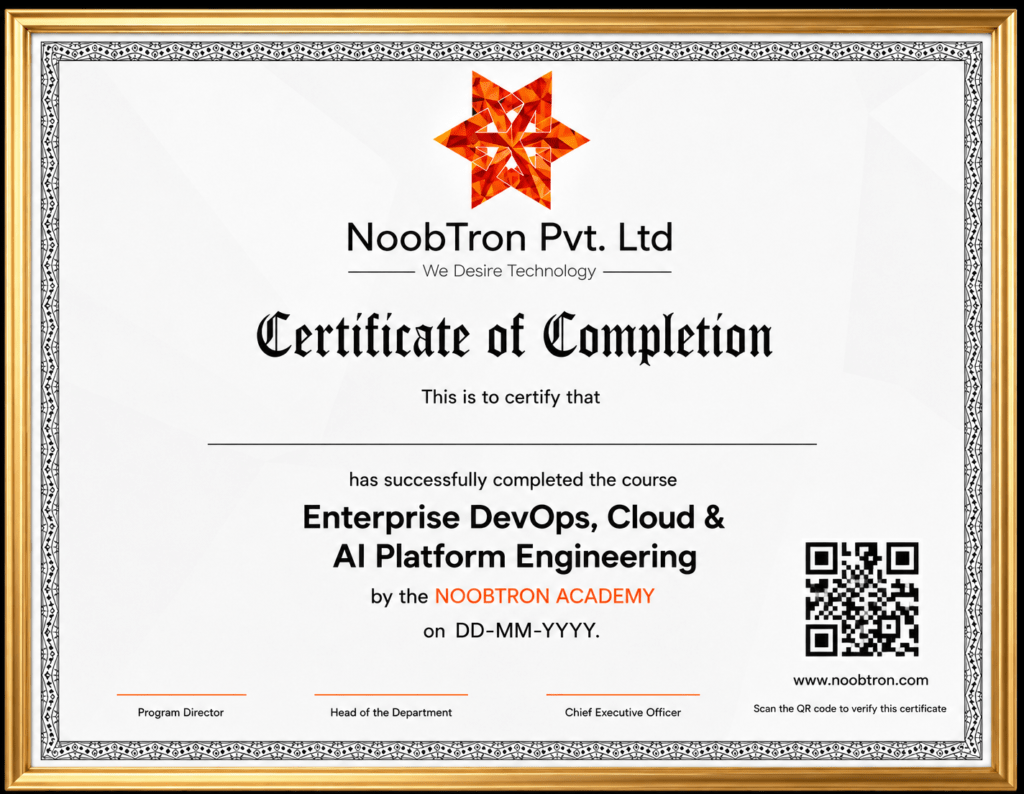
PROFESSIONAL CERTIFICATION
Demonstrate your expertise in cloud-native infrastructure, Kubernetes orchestration, DevSecOps automation, AI-integrated operations, and enterprise deployment engineering through a project-driven certification framework.
A professional credential that reflects your expertise in designing, securing, governing, and scaling enterprise-grade Microsoft Azure environments.
CERTIFICATION
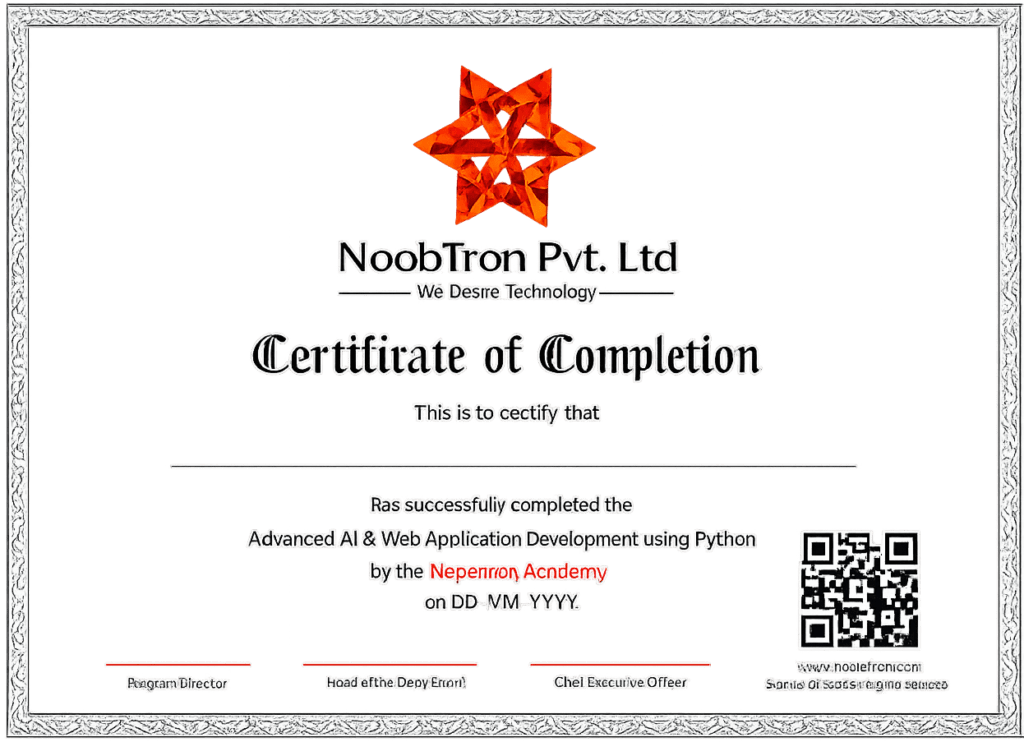
Earn an Industry-Recognized Certificate from NoobTron TechWorks
Successfully complete the Advanced AI & Web Development with Python program and receive a professional certification that validates your expertise in Python programming, Artificial Intelligence, modern web technologies, and real-world application development.
Demonstrate your readiness to build, deploy, and scale intelligent web applications with confidence.
Starting at
₹4,999 / Month*
Total Program Fee: ₹25,000*
Start Learning with Just ₹10,000
Upfront
Pay the remaining amount in 3 easy monthly installments of ₹4,999 each.
WHAT’S INCLUDED
Python Programming Mastery
Core Python, OOP, data handling, automation, and industry coding practices.
Artificial Intelligence & Generative AI
Prompt Engineering, AI APIs, LLM integration, AI agents, and intelligent automation.
Django, FastAPI, databases, REST APIs, frontend integration, and deployment.
Industry Projects & Certification
35%
Organizations worldwide are already using AI in at least one business function.
McKinsey Global Survey on AI, 2024
TIOBE Index, GitHub Octoverse, Stack Overflow Developer Survey
World Economic Forum – Future of Jobs Report 2025
Glassdoor, Indeed, Levels.fyi Industry Reports
THE FUTURE OF ENTERPRISE ENGINEERING IS AI-INTEGRATED
Organizations worldwide are investing in cloud modernization, security, automation, and digital transformation—making Azure cloud expertise one of the most valuable technology skill sets today.
90%+
Enterprises Are Expanding Cloud-Native Infrastructure Investments
Organizations across finance, healthcare, manufacturing, SaaS, and AI sectors are accelerating migration toward scalable cloud-native ecosystems and automated infrastructure platforms.
Source: Gartner & IDC Enterprise Cloud Market Reports
Top-Tier
Kubernetes, DevOps & Cloud Skills Continue Dominating Enterprise Hiring
Modern enterprises prioritize engineers skilled in container orchestration, Infrastructure as Code (IaC), observability systems, automation pipelines, and AI-integrated operations.
Source: CNCF Survey, LinkedIn Workforce Reports
68%+
Companies Are Investing in AI-Driven Operations & Automation
AIOps, MLOps, predictive monitoring, self-healing systems, and intelligent deployment automation are becoming core enterprise engineering priorities.
Source: McKinsey Global AI Adoption Study
High-Growth Careers
Cloud & Platform Engineering Roles Continue to Offer Premium Salaries
Enterprise DevOps, SRE, Cloud Security, Platform Engineering, and AI Infrastructure professionals remain among the highest-demand technology specialists globally.
Source: Glassdoor, Indeed & Global Technology Hiring Insights
This is an advanced industry-focused program designed to train learners in Cloud Infrastructure, DevOps, Kubernetes, Platform Engineering, MLOps, DevSecOps, AI-integrated operations, and enterprise deployment systems through real-time practical implementation.
The program is ideal for engineering graduates, software developers, DevOps professionals, cloud engineers, IT professionals, and working professionals looking to transition into high-demand enterprise cloud and AI infrastructure roles.
Yes. The curriculum is heavily project-driven and includes enterprise-grade labs, CI/CD pipelines, Kubernetes deployment environments, Infrastructure as Code (IaC), cloud automation workflows, observability systems, and AI-integrated operational simulations.
The program covers Kubernetes, Docker, Terraform, AWS, Azure, Google Cloud, Jenkins, GitHub Actions, Prometheus, Grafana, ELK Stack, OpenTelemetry, Python, DevSecOps, MLOps, GitOps, Platform Engineering, and AI infrastructure systems.
Yes. The program starts with infrastructure and cloud fundamentals before progressing into advanced enterprise DevOps, automation, Kubernetes orchestration, cloud-native engineering, and AI-integrated operations.
Yes. Learners receive technical mentorship, career guidance, mock interview preparation, resume optimization, GitHub portfolio support, and enterprise engineering project reviews.
Absolutely. Learners build production-oriented cloud infrastructure systems, DevOps automation pipelines, observability stacks, MLOps workflows, AI infrastructure deployments, and enterprise DevSecOps implementations.
Graduates can pursue roles such as:
- Cloud Engineer
- DevOps Engineer
- Platform Engineer
- DevSecOps Engineer
- Site Reliability Engineer (SRE)
- MLOps Engineer
- AI Infrastructure Engineer
- Cloud Operations Specialist
Yes. Flexible EMI and installment options are available for students and working professionals.
Yes. Learners receive a NoobTron TechWorks industry-oriented certification upon successful completion of projects, assessments, and technical modules.
Reach out to our academic and technical advisory team for personalized guidance on curriculum, career pathways, learning tracks, and enrollment support.