
Protect Your Business From Evolving Cyber Threats
We secure your digital assets with advanced security solutions, continuous monitoring, and expert risk management.
Inspired from Industry leaders







Industry leaders powering your journey in Enterprise Full-Stack Engineering & AI Application Development
FUTURE READY
Industry-Ready AI & Full-Stack Skills
DURATION
2 days on NoobTron Campus, Chennai
CAMPUS
2 days on NoobTron Academy Campus, Chennai
LIVE CLASSES
Live classes with 24/7 IT support
FUTURE READY
Industry-Ready AI Skills
DURATION
2 Months With hands On Project
OPTIONAL
2 days on NoobTron Academy Campus, Chennai
FORMATE
Live Classes With 24/7 AI Support
Other programmes teach coding frameworks.
From frontend engineering to AI-powered enterprise applications, every module is designed around real-world product development, cloud deployment, and modern software engineering practices.
AI-Powered Curriculum
Learn modern Full-Stack Engineering with React, Node.js, APIs, Databases, Cloud Computing, Generative AI, RAG Systems, AI Agents, and Enterprise Application Development.
Hands-On Development Labs
Build production-grade web applications, AI copilots, intelligent chatbots, workflow automation systems, and cloud-native applications through guided practical labs.
Technical Interview & Career Readiness
Prepare for Full-Stack Developer, Software Engineer, AI Application Developer, Product Engineer, and Cloud Application Engineer roles through coding assessments, system design sessions, and mock interviews.
Enterprise AI Project Portfolio
Develop a portfolio of real-world applications including AI-powered SaaS platforms, LLM-integrated applications, RAG solutions, Agentic AI systems, and scalable clouddeployed products.










Enterprise Engineering Experiences that become real-world products, platforms, and career-defining portfolios
Add Your Heading Text Here

Work on practical migration, modernization, disaster recovery, and infrastructure optimization scenarios that mirror real enterprise cloud adoption journeys.
Implement Identity & Access Management, Zero Trust principles, Governance Policies, RBAC, Monitoring, Backup, Security Operations, and Compliance Controls across Azure environments.
A step-by-step guide
Clear milestones, constant communication, and zero hand-waving. Here’s how we get from idea to impact.
STEP 1
Modern Automation Testing with Enterprise Full-Stack Engineering & AI Application Development

Choose the program that aligns with your career goals. Explore the curriculum, learning outcomes, and specialization in Enterprise Full-Stack Engineering & AI Application Development designed for real-world impact.
STEP 2
Submit your application
Fill in your basic details, academic background, and work experience (if any). Upload the required documents and complete your application.
STEP 3
Registration completion
Once your application is reviewed and approved, complete the registration process by making the payment to confirm your seat in the batch.
STEP 4
NoobTron Trainee Offer Letter, be ready with the course schedule
Receive your NoobTron Trainee Offer Letter and get access to the complete course schedule, batch timeline, and onboarding resources. Get ready to begin your learning journey with NoobTron!
Explore Directly with Industry Experts
Solve Real Industrial Problems with 100+ Industries
100+ FOUNDERS
Real Industrial Use Cases
Work on live challenges from leading companies.
Expert-Led Brainstorming Sessions
Collaborate with industry experts & peers.
Data-Driven Problem Solving
Apply AI/ML to solve complex industrial problems.
Cross-Industry Exposure
Learn from 100+ industries and diverse use cases.
Director
NoobTron Private Limited
The state of AI in 2025:
Agents, innovation, and transformation
Insights from 1,492 global participants on how organizations are adopting AI agents, driving innovation, and transforming for long-term impact.
November 5, 2025
Survey
1,492
Global Participants 15
DOWNLOAD ARTICLE
VIEW DIRECT LINK
0-3 Years
Students, Fresh Graduates & Entry-Level Developers
Students, Fresh Graduates & Entry-Level Developers
WHAT YOU'LL GAIN
Full-Stack development using HTML5, CSS3, JavaScript, React, Node.js & Express
Database engineering with SQL, MongoDB, API integration & backend services
Hands-on AI application development using LLMs, Prompt Engineering & AI APIs
Cloud deployment, Git/GitHub workflows, CI/CD fundamentals & project delivery
3-7 Years
Software Developers, Full-Stack Engineers & Application Specialists
Software Developers, Full-Stack Engineers & Application Specialists
WHAT YOU'LL GAIN
Design and develop scalable enterprise applications using modern architectures
Build RESTful APIs, microservices, authentication systems & secure applications
Integrate Generative AI, RAG pipelines, AI assistants & workflow automation
Implement CI/CD pipelines, containerization and cloud-native deployment strategies
7-12 Years
Technical Leads, Solution Architects & Engineering Managers
Technical Leads, Solution Architects & Engineering Managers
WHAT YOU'LL GAIN
Architect distributed full-stack systems for high-availability environments
Design enterprise AI platforms, intelligent automation solutions & AI agents
Lead cloud migration, modernization and application transformation initiatives
Establish engineering standards, DevSecOps practices and scalable delivery frameworks
12+ Years
Technology Leaders, CTO Aspirants & Digital Transformation Executives
Technology Leaders, CTO Aspirants & Digital Transformation Executives
WHAT YOU'LL GAIN
Evaluate and implement enterprise-wide AI application strategies
Govern cloud, security, scalability and software architecture roadmaps
Lead digital transformation programs powered by intelligent applications
Build innovation frameworks combining Full-Stack Engineering, Cloud and Generative AI
“Organizations are increasingly adopting AI-powered applications and cloud-native architectures.
I wanted practical experience in building real-world software products that combine Full-Stack Engineering, Cloud, and Generative AI.”
Who is NoobTron TechWorks For?
100+ FOUNDERS
Students & Fresh Graduates
Learn Full-Stack Development, Cloud Technologies, and AI Application Engineering through hands-on projects that build real industry-ready skills from day one.
Aspiring Developers & Software Engineers
Master modern frontend frameworks, backend systems, databases, APIs, cloud deployment, and software engineering practices used across today's technology industry.
Professionals Looking to Future-Proof Their Careers
Upskill in Generative AI, intelligent applications, cloud-native development, automation, and enterprise technologies driving the next generation of software products.
From Full-Stack Engineering to Next-Generation Intelligent Application Development
Module – Introduction
4 hrs
Orientation & Developer Setup
Topics Covered
- Setting up Visual Studio Code with essential extensions (Prettier, ESLint, Live Server)
- Git fundamentals — init, add, commit, push, pull, branching, merge
- GitHub — creating repos, writing README.md, pushing first project
- Command Line Interface — navigation (cd, ls, mkdir), file operations, shortcuts
- How the web works — HTTP/HTTPS request-response cycle, DNS resolution, IP addressing
- Browser rendering pipeline — parsing HTML → CSSOM → layout → paint → composite
- Browser Developer Tools — Elements, Console, Network, Sources, Application tabs
- Front-end architecture overview — HTML structures, CSS styles, JS adds behaviour
Lab Activities
- Install VS Code, configure Git with global name/email, create and push first GitHub repo
- Use CLI to create folder structure, init git, and make 5 commits with descriptive messages
- Open DevTools on 3 live websites — inspect DOM, trace network requests, read console logs
Tools & Stack
Visual Studio Code, Git & GitHub, Chrome DevTools, Terminal / Git Bash, ESLint, Prettier
Learning Outcomes
- Configure a professional developer environment
- Use Git for version control and GitHub for code hosting
- Explain how HTTP, DNS and the browser rendering pipeline work together
Configured dev environment + first GitHub repository with hello-world HTML page committed and pushed.
Module 1
10 hrs
HTML5 & Web Structure
Topics Covered
- HTML document structure — DOCTYPE, html, head, body, meta charset, viewport
- Semantic elements — header, nav, main, section, article, aside, footer — when to use each
- Headings hierarchy h1–h6, paragraphs, spans, divs — semantic vs presentational
- Hyperlinks — absolute vs relative paths,
target="_blank", anchor links, download attribute - Images — src, alt text, width/height, figure/figcaption, WebP format
- Embedding media — audio, video with controls, iframe for YouTube and maps
- Tables — thead, tbody, tfoot, tr, th, td, colspan, rowspan, caption
- Lists — ordered, unordered, description lists, nested lists
- Forms — input types: text, email, password, number, date, file, checkbox, radio, range, color
- Form attributes — action, method, name, id, placeholder, required, pattern, min/max
- Web Accessibility — ARIA roles, aria-label, aria-describedby, tab index, skip navigation links
- Screen reader compatibility — semantic markup importance, testing with NVDA/VoiceOver
- SEO best practices — title tag, meta description, Open Graph tags, canonical URL, structured heading flow
Lab Activities
- Build a fully semantic 3-section personal profile page using only HTML (no CSS)
- Create a multi-field registration form with 8+ input types and HTML5 validation attributes
- Audit an existing HTML page with axe DevTools — fix all identified accessibility issues
Tools & Stack
- VS Code
- W3C HTML Validator
- axe DevTools browser extension
- WAVE accessibility tool
Learning Outcomes
- Structure web pages correctly using semantic HTML5 elements
- Build accessible, screen-reader-compatible web pages with ARIA
- Write SEO-optimised HTML with proper meta tags and heading hierarchy
Semantic HTML profile page + fully accessible registration form passing axe DevTools audit
Module 2
12 hrs
CSS3 — Styling & Responsive Design
Topics Covered
- CSS syntax — selectors, specificity, cascade, inheritance — the C in CSS explained
- Box model — margin, border, padding, content —
box-sizing: border-boximportance - Typography —
font-family,font-size,font-weight,line-height,letter-spacing, Google Fonts import - Colours — hex, rgb, rgba, hsl, hsla; CSS custom properties (variables) with
:root - Display values — block, inline, inline-block, none; visibility vs
display:none - Positioning — static, relative, absolute, fixed, sticky; z-index stacking context
- Flexbox —
container: display:flex, justify-content, align-items, flex-direction, flex-wrap; item: flex-grow, flex-shrink, align-self - CSS Grid — grid-template-columns/rows, grid-area, gap, auto-fill, minmax, named areas
- Responsive design — mobile-first philosophy, media queries; min-width breakpoints (480, 768, 1024, 1280px)
- Images and backgrounds — object-fit, background-size, background-position, linear-gradient
- Pseudo-classes —
:hover,:focus,:active,:first-child,:nth-child(n),:not() - Pseudo-elements —
::before,::after,::placeholder, content property - CSS transitions — property, duration, timing-function, delay; smooth hover effects
- CSS animations —
@keyframes, animation-name, duration, iteration-count, direction, fill-mode - CSS custom properties — defining tokens for colour, spacing, typography; dark mode with
prefers-color-scheme
Lab Activities
- Style the HTML profile page from M1 — Flexbox layout, responsive at 3 breakpoints, Google Font
- Build a CSS Grid photo gallery that reflows from 4 columns to 1 column on mobile
- Create CSS-only loading spinner, card hover lift effect, and animated navigation underline
Tools & Stack
- VS Code + Live Server
- Chrome DevTools
- Can I Use (caniuse.com)
- Google Fonts
- CSS Tricks reference
Learning Outcomes
- Apply Flexbox and CSS Grid for professional, pixel-accurate layouts
- Build fully responsive designs using a mobile-first media query approach
- Use CSS animations and custom properties for modern, consistent UX
Fully responsive portfolio landing page — CSS Grid layout, custom properties, animations, 3 breakpoints
Module 3
16 hrs
JavaScript ES6+ — Core Programming
Topics Covered
- JavaScript fundamentals — role in the browser, script tag placement, defer vs async
- Variables —
varvsletvsconst; scope differences, hoisting, temporal dead zone - Data types — string, number, boolean, null, undefined, symbol, BigInt —
typeofoperator - Operators — arithmetic, assignment, comparison (
==vs===), logical (&&,||,??), ternary - Control flow — if/else, if/else, switch/case, early return pattern
- Loops — for, while, do-while, for…of (arrays), for…in (objects), break and continue
- Functions — declarations vs expressions, parameters, default values, rest parameters
- Arrow functions — syntax, implicit return,
thisbinding difference from regular functions - Scope — global, function, block scope; closures with practical counter example
- Arrays — creation, indexing, destructuring, spread, essential methods: map, filter, reduce, forEach, find, findIndex, includes, some, every
- Objects — literal syntax, dot vs bracket notation, destructuring, spread, computed keys, shorthand methods
- Template literals — interpolation, multiline strings, tagged templates
- DOM selection —
getElementById,querySelector,querySelectorAll— live vs static NodeLists - DOM manipulation —
innerHTML,textContent,createElement,appendChild,insertAdjacentHTML,removeChild,classListadd/remove/toggle - Events —
addEventListener, removeEventListener, event object properties, event bubbling, stopPropagation, preventDefault - Form handling — submit event, FormData, reading input values, resetting form
- Client-side validation — required fields, email regex, length constraints, custom error message display
- Optional chaining
?.and nullish coalescing??in modern JS
Lab Activities
- Build an interactive quiz app — 10 questions, score tracking, progress bar, results screen
- Create a live character counter and password strength meter for a registration form
- Build a to-do list with add, complete, delete, filter (all/active/done), persisted to
localStorage
Tools & Stack
- Browser Console
- VS Code + Live Server
- MDN Web Docs
- JavaScript Visualizer (jsv9000.app)
Learning Outcomes
- Write clean ES6+ JavaScript for DOM manipulation and dynamic event handling
- Implement client-side form validation with regex and custom error messages
- Build interactive UI features using arrays, objects, and DOM APIs
Interactive quiz app (10 Qs, scoring, results) + to-do list app with localStorage persistence
Module 4
10 hrs
Modern JavaScript & Tooling
Topics Covered
- Asynchronous JavaScript — the call stack, Web APIs, callback queue, event loop in depth
- Callbacks — callback hell problem, pyramid of doom, why we need something better
- Promises — creating with
new Promise(), resolve/reject, chaining.then/.catch/.finally - Promise combinators —
Promise.all(parallel),Promise.race,Promise.allSettled,Promise.any - Async/Await — syntactic sugar over promises,
try/catch/finallyfor error handling - Fetch API — making GET requests, reading JSON with
.json(), handling HTTP errors - POST with Fetch — setting method, headers (
Content-Type,Authorization), body:JSON.stringify() - Working with JSON —
JSON.parse(),JSON.stringify(), handling nested structures - Web Storage — localStorage vs sessionStorage: setItem, getItem, removeItem, clear
- Storage patterns — caching API responses, persisting user preferences
- ES6 Modules — named exports, default exports, import statements, circular dependencies
- NPM introduction — package.json, installing packages, devDependencies, npm scripts
- Vite — creating a project (
npm create vite@latest), dev server, HMR, build output - ESLint setup — recommended rules, fixing common errors, IDE integration
- Prettier setup —
.prettierrcconfiguration, format on save, consistency across team
Lab Activities
- Build a weather app fetching live data from OpenWeatherMap API with async/await and error states
- Create a quotes app — fetch from API, cache in localStorage, display offline fallback if cached
- Convert a vanilla JS project into Vite-powered ES module project with NPM packages
Tools & Stack
- Vite
- NPM
- OpenWeatherMap API (free tier)
- ESLint
- Prettier
- VS Code
Learning Outcomes
- Write async JavaScript confidently using Promises and async/await
- Fetch and handle data from real public APIs with proper error handling
- Set up a modern JavaScript project with Vite, NPM, ESLint, and Prettier
Weather dashboard app — live API data, localStorage caching, offline fallback, built with Vite
Module 5
18 hrs
PHP — Server-Side Scripting
Topics Covered
- PHP introduction — how server-side scripting differs from client-side JS, LAMP stack
- PHP syntax — variables ($), data types, echo vs print, heredoc, comments
- Operators — arithmetic, string concatenation (.), comparison, logical operators
- Control structures — if/elseif/else, switch, while, for, foreach, match (PHP 8)
- Functions — defining, parameters, default values, return types, variable scope
- PHP superglobals —
$_GET,$_POST,$_SERVER,$_SESSION,$_COOKIE,$_FILES - Processing HTML forms — reading POST/GET data,
htmlspecialcharsfor XSS prevention - Server-side form validation — required fields, email
filter_var, length, custom error array - Sessions —
session_start(), setting/reading/modifying/destroying session variables - Session security —
session_regenerate_id(), HttpOnly cookies, session fixation prevention - Cookies —
setcookie(),$_COOKIE, expiry timestamps, Secure and HttpOnly flags - File inclusion — include, require, include_once, require_once for page template system
- Error handling — try/catch with Exception,
set_error_handler,display_errorsin dev only - PHP OOP basics — class, object, properties, methods, constructor, $this keyword, visibility (public/private/protected)
Lab Activities
- Build a multi-page contact form with server-side validation and success/error feedback display
- Create a login system using PHP sessions — register, login, dashboard, logout flow
- Build a PHP page template system with shared header/footer includes and dynamic page titles
Tools & Stack
- XAMPP / WAMP / Laragon
- VS Code + PHP Intelephense
- Postman (testing POST requests)
- phpMyAdmin
Learning Outcomes
- Process and validate HTML forms securely with PHP
- Implement session-based user authentication with login and logout
- Build reusable PHP page templates using include and require
PHP login system with session management + contact form with server-side validation and XSS prevention.
Module 6
18 hrs
MySQL — Relational Databases & SQL
Topics Covered
- Relational database concepts — tables, rows, columns, primary keys, foreign keys, relationships
- Database design — ER diagrams, normalisation 1NF/2NF/3NF, naming conventions best practices
- Data types in MySQL — INT, VARCHAR, TEXT, DECIMAL, DATE, DATETIME, BOOLEAN, ENUM
- CREATE TABLE — defining columns, constraints: NOT NULL, UNIQUE, DEFAULT, AUTO_INCREMENT
- INSERT INTO — single and multiple row insertion, inserting NULL
- SELECT — wildcard *, specific columns, DISTINCT, column aliases (AS)
- WHERE clause — filtering with comparison operators, LIKE, BETWEEN, IN, IS NULL / IS NOT NULL
- ORDER BY — ASC and DESC, multi-column sorting; LIMIT and OFFSET for pagination
- Aggregate functions — COUNT, SUM, AVG, MIN, MAX; GROUP BY; HAVING for filtering groups
- INNER JOIN — combining related data from two tables on matching foreign key
- LEFT JOIN — including all rows from left table even without matches
- Self-join — joining a table to itself (e.g. employee/manager relationship)
- Indexes — CREATE INDEX, composite indexes, EXPLAIN to analyse query performance
- Transactions — BEGIN/START TRANSACTION, COMMIT, ROLLBACK, ACID properties
- PHP + MySQL with PDO — connecting, prepared statements with named parameters (:param), executing, fetching results
- Password security — never store plain text, use
password_hash()andpassword_verify()
Lab Activities
- Design a blog database schema (users, posts, categories, comments) with ER diagram
- Write 15 SQL queries on sample data: SELECT, JOIN, GROUP BY, subqueries, aggregates
- Build a PHP + MySQL CRUD product inventory app with PDO prepared statements
Tools & Stack
- MySQL Workbench
- phpMyAdmin
- PHP PDO
- XAMPP
- DB Fiddle (online SQL)
Learning Outcomes
- Design normalised relational databases with ER diagrams and proper constraints
- Write complex SQL queries including joins, aggregates, subqueries, and indexes
- Build secure PHP-MySQL applications using PDO prepared statements
PHP + MySQL CRUD inventory management app with PDO — add, edit, delete, search products.
Module 7
6 hrs
jQuery & AJAX
Topics Covered
- jQuery introduction — what it solves, CDN include,
$selector,$(document).ready() - DOM selection —
.find(),.parent(),.children(),.siblings(),.closest(), chaining - DOM manipulation —
.html(),.text(),.val(),.attr(),.data(),.prop() - Class manipulation —
.addClass(),.removeClass(),.toggleClass(),.hasClass() - Event handling —
.on(),.off(),.click(),.submit(),.keyup(),.change(), event delegation with.on('event','selector') - jQuery animations —
.show(),.hide(),.toggle(),.fadeIn(),.fadeOut(),.slideUp(),.slideToggle(), custom.animate() $.ajax()— method, url, data, dataType, success callback, error callback, complete$.get()and$.post()— shorthand AJAX methods for common operations- Handling JSON responses from PHP endpoints — parse and render dynamic HTML
- AJAX form submission —
e.preventDefault(), serialize form data, display server response - Loading states — showing spinner before AJAX completes, hiding on success/error
- jQuery vs vanilla JS — when jQuery is still used in legacy codebases
Lab Activities
- Add AJAX live search to the CRUD app — filter results as you type without page reload
- Build an AJAX-powered contact form — submit, show loading spinner, display JSON response
- Enhance the weather app with jQuery animations — fade in results, slide error messages
Tools & Stack
- jQuery 3.x (CDN)
- Chrome DevTools Network tab
- PHP JSON API endpoint
Learning Outcomes
- Use jQuery for rapid DOM traversal, manipulation, and event delegation
- Make AJAX calls to PHP endpoints and render JSON responses dynamically
- Implement no-reload form submission with loading state and user feedback
AJAX-enhanced CRUD app with live search + no-reload form submission with spinner feedback.
Module 7
jQuery & AJAX
Topics Covered
- Setting up Visual Studio Code with essential extensions (Prettier, ESLint, Live Server)
- Git fundamentals — init, add, commit, push, pull, branching, merge
- GitHub — creating repos, writing README.md, pushing first project
- Command Line Interface — navigation (cd, ls, mkdir), file operations, shortcuts
- How the web works — HTTP/HTTPS request-response cycle, DNS resolution, IP addressing
- Browser rendering pipeline — parsing HTML → CSSOM → layout → paint → composite
- Browser Developer Tools — Elements, Console, Network, Sources, Application tabs
- Front-end architecture overview — HTML structures, CSS styles, JS adds behaviour
Lab Activities
- Install VS Code, configure Git with global name/email, create and push first GitHub repo
- Use CLI to create folder structure, init git, and make 5 commits with descriptive messages
- Open DevTools on 3 live websites — inspect DOM, trace network requests, read console logs
Tools & Stack
Visual Studio Code, Git & GitHub, Chrome DevTools, Terminal / Git Bash, ESLint, Prettier
Learning Outcomes
- Configure a professional developer environment
- Use Git for version control and GitHub for code hosting
- Explain how HTTP, DNS and the browser rendering pipeline work together
Configured dev environment + first GitHub repository with hello-world HTML page committed and pushed.
Module 8
6 hrs
Version Control, Git Workflow & GitHub Portfolio
Topics Covered
- Git branching — creating feature branches (
git checkout -b), listing, switching, deleting branches - Merging —
git merge, fast-forward vs 3-way merge, resolving merge conflicts step by step - Git stash — stash changes, list stashes, apply and drop stashes
- Remote workflow —
git remote add, fetch vs pull difference, push--set-upstream - Pull Requests — creating on GitHub, writing good PR description, requesting review, merging options
- GitHub Issues — creating, labelling, assigning, referencing in commits (
#issue-number) - GitHub Pages — deploying static sites from main branch or
/docsfolder, custom domain setup - README.md — project title, badges, description, screenshots, setup instructions, tech stack
- Markdown formatting — headings, bold/italic, code blocks, tables, images, links in README
.gitignore— ignoringnode_modules,.envfiles, OS files (.DS_Store), build outputs- GitHub profile — pinning repositories, profile README with intro, contribution graph meaning
- Conventional commits — feat, fix, docs, refactor, chore, test commit message prefixes
- Open source introduction — forking repos, reading CONTRIBUTING.md, submitting first PR
Lab Activities
- Collaborate with a partner using feature branches and pull requests on a shared repo
- Deploy weather app and portfolio to GitHub Pages — verify live URLs
- Write polished README.md files for 3 projects with screenshots, badges, and live demo links
Tools & Stack
- Git
- GitHub
- GitHub Pages
- Markdown
- Shields.io (README badges)
Learning Outcomes
- Use Git branching and pull requests for collaborative team development
- Deploy static websites to GitHub Pages for free hosting
- Write professional README documentation that showcases projects effectively
3 GitHub repos with polished README files + 2 projects live on GitHub Pages with custom domain.
Module 9
12 hrs
Beginner Capstone — Full Portfolio Website
Topics Covered
- Project planning — wireframing in Figma/Excalidraw, content inventory, colour palette selection
- Multi-page site architecture — navigation between pages, consistent header/footer
- HTML structure — semantic markup, accessibility compliance (ARIA, alt text, skip links)
- CSS design system — custom properties for colours, spacing, typography; consistent component styles
- Responsive layout — mobile-first, Flexbox/Grid, tested on real devices and browser tools
- JavaScript interactivity — mobile hamburger menu, scroll-triggered animations, smooth scrolling
- PHP contact form — server-side validation, sending email with PHP
mail()or PHPMailer - MySQL integration — visitor counter or blog post listing pulled from database (optional enhancement)
- Image optimisation — converting to WebP, appropriate dimensions, lazy loading attribute
- Performance optimisation — minifying CSS/JS awareness, removing unused code
- Accessibility audit — axe DevTools, fix all Critical and Serious issues before submission
- Deployment — GitHub Pages for front-end or Hostinger/InfinityFree for PHP hosting
- Lighthouse audit — target 90+ in Performance, Accessibility, Best Practices, SEO
- Documentation — writing complete README, recording 3-minute demo video, LinkedIn project post
Lab Activities
- Build and deploy 4-page portfolio: Home, About, Projects, Contact with consistent navigation
- Implement PHP contact form that validates server-side and emails submissions
- Conduct Lighthouse audit — iterate until 90+ score achieved across all 4 categories
Tools & Stack
- VS Code
- Figma (wireframing)
- GitHub Pages
- Hostinger
- PHP
mail() - Google Lighthouse
Learning Outcomes
- Build and deploy a complete multi-page website with consistent design and navigation
- Integrate server-side PHP forms with email delivery into a front-end portfolio
- Pass a Lighthouse audit at 90+ across Performance, Accessibility, Best Practices, and SEO
Live deployed 4-page portfolio website — PHP contact form + MySQL integration + 90+ Lighthouse + full README.
- HTML, CSS & JavaScript
- Python Programming
- Database Fundamentals
- Git Basics
- Enterprise ERP Portal with AI Assistant
- Full Stack SaaS Application
- REST API & Authentication System
- Cloud Deployment with CI/CD
- React.js & Modern Frontend Development
- Django/FastAPI Backend Development
- API Development & Integration
- AI-powered Business Applications
Module 1
10 hrs
HTML5 & Web Structure
Topics Covered
- HTML document structure — DOCTYPE, html, head, body, meta charset, viewport
- Semantic elements — header, nav, main, section, article, aside, footer — when to use each
- Headings hierarchy h1–h6, paragraphs, spans, divs — semantic vs presentational
- Hyperlinks — absolute vs relative paths,
target="_blank", anchor links, download attribute - Images — src, alt text, width/height, figure/figcaption, WebP format
- Embedding media — audio, video with controls, iframe for YouTube and maps
- Tables — thead, tbody, tfoot, tr, th, td, colspan, rowspan, caption
- Lists — ordered, unordered, description lists, nested lists
- Forms — input types: text, email, password, number, date, file, checkbox, radio, range, color
- Form attributes — action, method, name, id, placeholder, required, pattern, min/max
- Web Accessibility — ARIA roles, aria-label, aria-describedby, tab index, skip navigation links
- Screen reader compatibility — semantic markup importance, testing with NVDA/VoiceOver
- SEO best practices — title tag, meta description, Open Graph tags, canonical URL, structured heading flow
Lab Activities
- Build a fully semantic 3-section personal profile page using only HTML (no CSS)
- Create a multi-field registration form with 8+ input types and HTML5 validation attributes
- Audit an existing HTML page with axe DevTools — fix all identified accessibility issues
Tools & Stack
- VS Code
- W3C HTML Validator
- axe DevTools browser extension
- WAVE accessibility tool
Learning Outcomes
- Structure web pages correctly using semantic HTML5 elements
- Build accessible, screen-reader-compatible web pages with ARIA
- Write SEO-optimised HTML with proper meta tags and heading hierarchy
Semantic HTML profile page + fully accessible registration form passing axe DevTools audit
Module 2
16 hrs
React Advanced — Hooks, Router & Redux
TOPICS COVERED
- UseEffect — dependency array, cleanup function, fetching data on mount, common mistakes
- UseEffect patterns — running once (empty deps), on value change, interval with cleanup
- UseRef — accessing DOM nodes directly, persisting values across renders without re-render
- UseCallback — memoising callback functions, when it’s necessary vs premature optimisation
- UseMemo — memoising computed values, referential equality, dependency array
- Context API — createContext, useContext, Provider wrapping, consuming in child components
- Context patterns — AuthContext, ThemeContext, combining multiple contexts
- UseReducer — actions, reducers, dispatch, when to prefer over useState
- Custom hooks — rules of hooks, extracting data fetching (useFetch), form logic (useForm), localStorage (useLocalStorage)
- React Router v6 — BrowserRouter, Routes, Route, Link, NavLink, active styles
- Dynamic routes — useParams for :id params, useNavigate for programmatic navigation
- useLocation — reading query params, pathname, state passed between routes
- Nested routes — Outlet component, layout routes, index routes
- Protected routes — redirect unauthenticated users with Navigate component
- Redux Toolkit — createSlice (reducers + actions), configureStore, Immer immutability
- useSelector — reading state, performance with shallowEqual
- useDispatch — dispatching actions, async actions with createAsyncThunk
- RTK Query — createApi, baseQuery, endpoints (query/mutation), auto-generated hooks
- Formik + Yup — field, ErrorMessage, validation schema, onSubmit, touched/error state
LAB ACTIVITIES
- Build a notes app using useReducer + Context — add, edit, delete, tag, filter notes
- Implement multi-page e-commerce with React Router (Home, Shop, Cart, Product Detail, Auth)
- Add Redux Toolkit cart slice to e-commerce app + persist cart to localStorage
TOOLS & STACK
- React Router v6
- Redux Toolkit
- RTK Query
- Formik
- Yup
- redux-persist
LEARNING OUTCOMES
- Use all core React Hooks correctly including useEffect, useCallback, and useMemo
- Implement client-side routing with React Router v6 including protected routes
- Manage global state with Redux Toolkit and data fetching with RTK Query
Multi-page e-commerce app — React Router + Redux Toolkit cart + RTK Query + Formik checkout.
Module 3
8 hrs
UI Libraries & Component Systems
TOPICS COVERED
- Tailwind CSS philosophy — utility-first, no custom CSS, responsive prefix (sm: md: lg: xl:)
- Tailwind configuration — tailwind.config.js, extending theme, custom colours and fonts
- Conditional classes in React — clsx library, template literal approach, Tailwind Merge
- Tailwind dark mode — class strategy, toggling with JS, prefers-color-scheme media strategy
- Material UI v5 — installation, ThemeProvider, createTheme, CssBaseline
- MUI components — Button variants, TextField, Select, Grid2, Stack, Box, Typography
- MUI theming — colour palette (primary/secondary/error), typography scale, component overrides
- Styled Components — tagged template literals, dynamic styles from props, extending styles
- CSS Modules — module.css import, composes, scoped class names in React
- Design tokens — spacing, colours, typography as CSS variables or JS constants object
- Reusable component API design — Button (variant, size, disabled), Input (label, error, helperText)
- Component library folder structure — components/Button/Button.tsx + Button.stories.tsx + Button.test.tsx
- Storybook introduction — writing stories, controls addon, actions, viewport testing
LAB ACTIVITIES
- Rebuild e-commerce UI in Tailwind — mobile-first, dark mode toggle, responsive grid
- Create MUI-themed admin dashboard — sidebar navigation, data table, stat cards with icons
- Build 5 reusable components (Button, Input, Card, Modal, Badge) documented in Storybook
TOOLS & STACK
- Tailwind CSS v3
- Material UI v5
- Styled Components
- Storybook
- clsx
- tailwind-merge
LEARNING OUTCOMES
- Build responsive, accessible interfaces rapidly with Tailwind CSS utility classes
- Customise Material UI with theming for branded component systems
- Create reusable, documented React components with Storybook
Component library (5 components) + Storybook stories + Tailwind-styled e-commerce UI with dark mode.
Module 4
14 hrs
Node.js & Express.js — Backend Fundamentals
Topics Covered
- Node.js runtime — V8 engine, non-blocking I/O model, single-threaded event loop
- Event loop phases — timers, I/O callbacks, idle, poll, check (
setImmediate), close; microtask queue (Promises) - Node.js core modules —
fs,path,os,events,http,crypto,stream - File system operations —
fs.readFile,writeFile,appendFile,mkdir,readdir(both callback and Promise versions) - Streams — readable, writable, transform; piping for large file handling; stream events
- NPM and package.json — scripts, dependencies vs devDependencies, semantic versioning (
^,~), package-lock.json - Environment variables — dotenv package,
.envfile,process.envaccess,.env.examplefor teams - Creating HTTP server —
http.createServer(),req.method,req.url,res.writeHead,res.end - Express setup —
app.use(),app.get/post/put/patch/delete(),app.listen() - REST route design — resource naming
/users,/users/:id,/users/:userId/posts, plural nouns - Route parameters —
req.params, query strings —req.query, request body —req.body - Middleware pipeline — built-in
express.json(),express.urlencoded(), custom logging middleware - Third-party middleware — morgan (HTTP logging), cors (cross-origin), helmet (security headers)
- Middleware execution order — order matters,
next()function, error-first middleware - Router modules —
express.Router(), separating routes into separate files, mounting withapp.use('/api/v1') - Joi validation — schema definition,
validate()method,Joi.object(),Joi.string().email() - Global error handler — custom
AppErrorclass extending Error, asyncHandler wrapper, 4-param error middleware - File uploads — Multer
single/array/fields, fileFilter for MIME type, limits object, diskStorage vs memoryStorage
Lab Activities
- Build a full CRUD products REST API with Express — test all endpoints in Postman
- Add Joi request validation and global error handler with custom AppError class
- Implement Multer file upload endpoint — accept images only, return secure filename in response
Tools & Stack
- Node.js 20 LTS
- Express.js
- Postman
- Joi
- Multer
- morgan
- dotenv
- helmet
- cors
Learning Outcomes
- Build Express REST APIs with full CRUD operations and proper HTTP status codes
- Implement middleware pipeline for validation, logging, CORS, and error handling
- Handle file uploads and secure environment variable configuration
Fully tested CRUD products REST API — validation + error handling + file upload + Postman collection.
Module 5
14 hrs
Authentication & Authorization
Topics Covered
- Authentication vs authorisation — identity (who are you) vs permission (what can you do)
- Password hashing — why plain text is catastrophic, rainbow tables, salting concept
- bcrypt — bcrypt.hash(password, saltRounds), bcrypt.compare(password, hash), choosing salt rounds
- User registration flow — validate input → check duplicate email → hash password → save → return token
- User login flow — find by email → compare hash → generate JWT on success → return tokens
- JWT structure — header (algorithm) + payload (claims: sub, iat, exp, role) + signature, Base64URL
- Signing JWT — jwt.sign(payload, secret, {expiresIn}), RS256 vs HS256 trade-offs
- Access tokens vs refresh tokens — short-lived access (15m), long-lived refresh (7d), rotation strategy
- JWT middleware — extracting Bearer token from Authorization header, jwt.verify(), attaching to req.user
- Token blacklisting — storing revoked tokens in Redis, checking on each request
- Refresh token endpoint — verify refresh token, issue new access + refresh tokens
- OAuth 2.0 authorisation code flow — redirect to provider, exchange code for token, get user profile
- Passport.js — passport-google-oauth20 strategy, callbackURL, profile data mapping to your user model
- Session vs token auth — stateful vs stateless, cookies vs Authorization header, mobile API considerations
- Role-Based Access Control — user roles stored in DB, restrictTo(…roles) middleware factory
- Admin, user, guest permissions — protecting routes based on role array check
Lab Activities
- Build complete auth system — register, login, JWT access + refresh tokens, token rotation, logout
- Add Google OAuth login using Passport.js — social login alongside email/password
- Implement RBAC — admin can manage all users, user can only modify their own profile
Tools & Stack
- jsonwebtoken
- bcrypt
- Passport.js
- passport-google-oauth20
- Google Cloud Console (OAuth credentials)
- Implement secure user registration and login with bcrypt password hashing and JWT
- Add OAuth 2.0 social authentication using Passport.js with Google
- Enforce role-based access control middleware on protected Express routes
Complete auth system — JWT + refresh token rotation + Google OAuth + RBAC middleware
Module 6
14 hrs
Databases — MongoDB & SQL
Topics Covered
- MongoDB fundamentals — document-oriented model, BSON types, collections, ObjectId structure
- MongoDB operators — comparison (
$eq,$ne,$gt,$lt,$in,$nin), logical ($and,$or,$not), update ($set,$push,$pull,$inc) - Mongoose setup —
mongoose.connect(), connection events (connected, error, disconnected) - Mongoose Schema — SchemaTypes, validators (required, min, max, enum, match, custom), timestamps option
- Mongoose Models —
Model.create, find with chaining,findById,findOne,findByIdAndUpdate(returnDocument) - Virtuals — computed properties not stored in DB,
toJSON({virtuals:true}) - Mongoose populate — referencing documents with ObjectId type,
.populate('field')for joins - Schema design — embedding vs referencing: embed when data is inseparable, reference when data is shared
- Aggregation pipeline —
$match,$group(with accumulators),$sort,$limit,$skip,$lookup(left join),$project,$unwind - Mongoose indexes —
Schema.index(), compound indexes, unique constraint, text index for search - MongoDB Atlas — cloud hosting, connection string, network access, database user, Compass GUI
- PostgreSQL —
psqlCLI basics, pgAdmin GUI, data types (SERIAL, VARCHAR, NUMERIC, TIMESTAMPTZ) - SQL with PostgreSQL — CREATE TABLE with constraints, INSERT, SELECT with WHERE, UPDATE, DELETE
- Relationships — one-to-many (foreign key), many-to-many (junction/association table)
- JOINs in PostgreSQL — INNER, LEFT, RIGHT, FULL OUTER — practical examples with real tables
- Prisma setup — schema.prisma file, datasource, generator, model definitions,
prisma migrate dev - Prisma Client — create, findMany (with include, where, orderBy, take/skip), update, delete, transaction
- Prisma Studio — visual DB browser for development
- Database seeding — seed.ts file, running with
prisma db seed
Lab Activities
- Build a blog API with Mongoose — users/posts/comments with populate() and aggregation pipeline
- Design and seed a PostgreSQL e-commerce schema with Prisma — products, orders, order items
- Write 5 MongoDB aggregation pipelines: top-rated products, monthly revenue, user activity stats
Tools & Stack
- MongoDB Atlas
- Mongoose
- MongoDB Compass
- PostgreSQL
- Prisma
- pgAdmin
- Prisma Studio
Learning Outcomes
- Design and query MongoDB databases with Mongoose including aggregation pipelines
- Model relational data in PostgreSQL with foreign keys, joins, and junction tables
- Use Prisma ORM for type-safe database access with migrations and seeding
Blog REST API (MongoDB + Mongoose) + E-commerce schema (PostgreSQL + Prisma) + aggregation report.
Module 7
8 hrs
API Design, Documentation & External Integration
Topics Covered
- REST API design best practices — plural nouns, no verbs in paths, consistent casing (kebab-case)
- HTTP status codes in depth — 200 OK, 201 Created, 204 No Content, 400 Bad Request, 401 Unauthorized, 403 Forbidden, 404 Not Found, 409 Conflict, 422 Unprocessable Entity, 500 Internal Server Error
- Response envelope — consistent
{success, data, message, errors}structure - Pagination — page + limit query params, total count in response headers, next/prev cursor links
- Sorting and filtering via query params —
?sort=-createdAt&status=active&category=tech - API documentation with OpenAPI 3.0 — swagger-jsdoc JSDoc comments, swagger-ui-express UI
- Writing Swagger schemas — components/schemas, request body, response schemas, security definitions
- API versioning — URL prefix
/api/v1/vs/api/v2/, header versioning (Accept: application/vnd.api+json; version=1) - Deprecation — Sunset header, migration guide in response, warning logs
- Consuming external APIs with Axios — baseURL, default headers, request/response interceptors
- Axios instance — creating with
axios.create(), reusing across service files - Error handling with Axios — catching network errors vs HTTP error responses, response.data structure
- Retry logic — exponential backoff pattern for transient failures, axios-retry library
- CORS in detail — preflight OPTIONS request, allowed origins, methods, headers, credentials
- Rate limiting — express-rate-limit, windowMs, max, keyGenerator, handler for 429 response
- Newman — running Postman collections in CI/CD, exit codes, HTML reporter
Lab Activities
- Add complete Swagger documentation to the blog API — all endpoints with request/response schemas
- Build a currency converter chaining two external API calls with error handling
- Set up Postman collection with 25 assertions and run with Newman in GitHub Actions
Tools & Stack
- swagger-jsdoc
- swagger-ui-express
- Axios
- Postman
- Newman
- express-rate-limit
Learning Outcomes
- Design REST APIs following industry conventions with consistent response envelopes
- Document APIs completely with Swagger/OpenAPI 3.0 and live Swagger UI
- Write and automate API tests with Postman collections and Newman in CI/CD
Fully documented REST API (Swagger) + 25-test Postman collection running in Newman.
Module 8
10 hrs
Full-Stack Integration & State Management
Topics Covered
- Full-stack architecture — React SPA + Express REST API + MongoDB, request lifecycle end-to-end
- CORS in Express — configuring allowed origins (dev vs prod), credentials: true, exposed headers
- Environment variables in Vite —
VITE_API_URLin.env.local,import.meta.envaccess - Axios instance for React — creating with baseURL, default Content-Type header
- JWT interceptor — request interceptor attaches Authorization: Bearer header from Redux/localStorage
- Response interceptor — catching 401, triggering token refresh, retrying original request
- Token refresh flow in React — lock mechanism to prevent multiple simultaneous refresh calls
- Redux auth slice — user, accessToken, isAuthenticated, roles, status; login/logout actions
- Persisting auth state — redux-persist with localStorage engine, whitelist auth slice only
- Hydration flash — handling rehydration timing, showing loading spinner before auth state resolved
- RTK Query —
createApiwithbaseQueryusing Axios instance, tagTypes for cache management - Providing and invalidating tags —
providesTags: ['Product'],invalidatesTags: ['Product']on mutation - Optimistic updates in RTK Query —
pessimisticUpdateStart, patch result, rollback on error - Protected routes in React — HOC or wrapper component checking
isAuthenticatedin Redux - Role-based UI — conditional rendering of admin features based on Redux user.role
Lab Activities
- Connect React e-commerce to Express products API — full CRUD operations from UI to DB
- Implement complete JWT auth flow in React — login → Redux → Axios interceptor → protected routes
- Replace all
useEffect + fetchcalls with RTK Query — automatic loading/error states
Tools & Stack
- Redux Toolkit
- RTK Query
- Axios
- redux-persist
- React Router
- VS Code
Learning Outcomes
- Connect React front-end to Node.js back-end with proper CORS configuration
- Implement end-to-end JWT authentication flow with automatic token refresh
- Use RTK Query for data fetching with cache tags and optimistic updates
Full-stack e-commerce — React + Express + MongoDB + JWT Auth interceptor + RTK Query caching.
Module 9
8 hrs
Testing & Debugging
Topics Covered
- Testing pyramid — unit (fast, isolated), integration (API flows), E2E (user journeys) — when to use each
- Jest setup —
jest.config.js, testEnvironment, transform, moduleNameMapper for aliases describe/it/teststructure — grouping tests,beforeEach/afterEachhooks,beforeAll/afterAll- Jest matchers —
toBe(...),toEqual(deep),toContain,toThrow,toHaveBeenCalledWith - Mocking with Jest —
jest.fn()for spies,jest.mock()for module mocking,mockReturnValue - Testing async code — async/await in tests, resolves/rejects matchers
- React Testing Library — render, screen queries (
getBy,queryBy,findBy),getAllByvariants - RTL query priority — ByRole > ByLabelText > ByPlaceholderText > ByText > ByTestId
- Firing events —
fireEventvsuserEvent(@testing-library/user-eventv14),userEvent.setup() - Testing patterns — Arrange, Act, Assert; testing behaviour not implementation
- Integration testing with Supertest — app as argument,
request(app).get('/api/users').expect(200) - Test database — MongoMemoryServer or separate test DB, seeding before tests, cleanup after
- Test coverage —
jest --coverage, coverage report, Istanbul thresholds injest.config - TDD Red-Green-Refactor — writing failing test first, minimal code to pass, then improve
- React Profiler — recording, interpreting flame graph, spotting unnecessary re-renders
- Chrome Performance tab — recording, main thread activity, long tasks, JavaScript profiling
Lab Activities
- Write 12 unit tests for utility functions and API service mocks using Jest
- Test React todo component — add, complete, delete, filter with React Testing Library + userEvent
- Write 10 Supertest integration tests for auth API — register, login, protected route, RBAC
Tools & Stack
- Jest
- React Testing Library
@testing-library/user-event- Supertest
- MongoMemoryServer
Learning Outcomes
- Write unit and integration tests with Jest using mocks and async patterns
- Test React components with React Testing Library focusing on user behaviour
- Apply TDD Red-Green-Refactor workflow and measure test coverage with Istanbul
Test suite: 12 unit + 10 component + 10 API integration tests at 80%+ coverage.
Module 10
8 hrs
Testing & Debugging
Topics Covered
- Bundle analysis —
vite-bundle-visualizer, identifying large dependencies, code splitting opportunities - Code splitting —
React.lazy+Suspense, route-based splitting, component-level lazy loading - Tree shaking — how Vite/Rollup eliminates dead code, avoiding side-effect imports
- Image optimisation — WebP format,
srcsetfor responsive images, lazy loading (loading="lazy"), aspect-ratio CSS - Critical rendering path — render-blocking CSS/JS, preload, defer, async attribute strategies
- Lighthouse audit — running in Chrome, DevTools, or CI; interpreting FCP, LCP, TBT, CLS, TTI scores
- Core Web Vitals — LCP (loading), FID/INP (interactivity), CLS (visual stability) — what affects each
- Deploying React to Vercel — GitHub integration, automatic preview deployments, env vars in dashboard
- Deploying Express API to Render — web service, environment variables, health check endpoint, spin-down awareness
- Netlify — drag-and-drop deploy, redirects for SPA (
_redirectsfile), form handling - Environment management —
.env.development,.env.production,.env.test— Vite and Node.js approach - GitHub Actions workflow YAML — on: push/pull_request, jobs, steps, uses, env, secrets
- Pipeline stages — lint (eslint) → test (jest) → build (vite build) → deploy (trigger Render hook)
- Custom domains — DNS A record, CNAME, Vercel/Render domain settings, HTTPS automatic certificate
- Sentry setup —
@sentry/react,@sentry/node, DSN, source maps upload, performance tracing - Error tracking — Sentry issues dashboard, breadcrumbs, user context, environment tags
Lab Activities
- Deploy full-stack app — React on Vercel + Express API on Render + MongoDB Atlas
- Set up GitHub Actions pipeline: lint → test → build → deploy with secrets management
- Run Lighthouse audit on deployed app — fix issues until 90+ achieved in all categories
Tools & Stack
- Vercel
- Render
- GitHub Actions
- Sentry
- Google Lighthouse
- vite-bundle-visualizer
Learning Outcomes
- Deploy React and Node.js applications to cloud platforms with environment variable management
- Build a GitHub Actions CI/CD pipeline with automated linting, testing, and deployment
- Monitor production applications with Sentry error tracking and Lighthouse performance auditing
Live full-stack app with CI/CD pipeline, Sentry monitoring, and 90+ Lighthouse score on Vercel + Render.
- HTML, CSS & JavaScript
- Python Programming
- Database Fundamentals
- Git Basics
- Enterprise ERP Portal with AI Assistant
- Full Stack SaaS Application
- REST API & Authentication System
- Cloud Deployment with CI/CD
- React.js & Modern Frontend Development
- Django/FastAPI Backend Development
- API Development & Integration
- AI-powered Business Applications
Module 1
14 hrs
HTML5 & Web Structure
Topics Covered
- TypeScript fundamentals — static typing benefits,
tsccompilation,ts-nodefor running directly - Primitive types — string, number, boolean, null, undefined, void, never, any, unknown — when to use each
- Union types (
A | B), intersection types (A & B), type guards (typeof,instanceof,in) - Interfaces vs type aliases — extends on interfaces,
&for types, declaration merging - Generics — generic functions, generic interfaces, generic constraints with
extends - Generic React components — typed props with generics, default generic values
- Utility types —
Partial,Required,Pick,Omit,Record,Readonly,NonNullable - Mapped types —
[K in keyof T]: T[K], readonly modifier, optional modifier - Conditional types —
T extends U ? X : Y, infer keyword for type extraction - Template literal types —
${Status}Eventfor string pattern types - TypeScript in React —
.tsxvs explicit return type,useState(), FC - Typing event handlers —
React.ChangeEvent,React.FormEvent - TypeScript with Express — typed Request/Response with generics, typed middleware, typed error classes
- Zod —
z.object,z.string().email(),z.number().min(),for type inference,z.enum(),z.infer - Module augmentation — extending Express Request type to add
req.userproperty tsconfig.json— strict mode settings, paths aliases for clean imports, target, module, lib
Lab Activities
- Convert the full e-commerce React app to TypeScript — type all props, state, events, API responses
- Build typed Express API — typed controllers, typed service layer, typed middleware, Zod validation
- Create generic
useFetchhook that infers response type and supports error typing
Tools & Stack
- TypeScript 5
- ts-node
- tsx
- Zod
@types/*packages- ts-node-dev
Learning Outcomes
- Apply TypeScript generics, utility types, and conditional types in real-world applications
- Type React components, hooks, event handlers, and API responses correctly with strict mode
- Build type-safe Express APIs with typed request/response objects and Zod runtime validation
Fully typed full-stack app — React (strict TS) + Express + Mongoose + Zod validation.
Module 2
14 hrs
Advanced React — Performance, Patterns & GraphQL
Topics Covered
- React reconciliation in depth — key algorithm, diffing, why key changes unmount/remount
React.memo— shallow prop comparison, when memo helps (expensive pure renders) vs hurts (object props always new ref)useMemo— memoising expensive computations, dependency array correctness, referential equalityuseCallback— stable function references for child component props,useEffectdependencies- React Profiler — recording, reading flame chart, spotting wasted renders, interaction timing
- Virtual list rendering — react-window
FixedSizeListandVariableSizeListfor 10,000+ item lists - Compound components pattern — Parent + Child share state via Context without prop drilling
- Render props pattern — sharing logic via function-as-children or render prop
- Higher-Order Components —
withAuth,withLogging, compose HOCs, TypeScript typing challenges - Error boundaries — class component
componentDidCatch, ErrorBoundary wrapper, fallback UI - GraphQL fundamentals — schema definition language, Query/Mutation/Subscription, resolvers
- Apollo Client setup —
ApolloProvider,InMemoryCache, cache policies (cache-first, network-only) useQuery— loading/error/data, variables, skip,pollInterval, refetchuseMutation— mutation function, variables,onCompleted,onError, update function for cache- Apollo cache updates —
readQuery/writeQuery,modifyCache, optimistic response - React Server Components — server vs client components,
'use client'directive, server actions
Lab Activities
- Profile and optimise a slow React component tree — apply
React.memo,useMemo,useCallback - Replace REST product fetching with GraphQL + Apollo Client — query with variables and cache updates
- Build Storybook for component library with interaction tests using
play()
Tools & Stack
- Apollo Client
- GraphQL
- react-window
- Storybook v7
@apollo/client
Learning Outcomes
- Optimise React performance by eliminating unnecessary re-renders with memoisation
- Implement GraphQL queries, mutations, and cache management with Apollo Client
- Write interactive Storybook stories with
play()functions for automated visual testing
GraphQL-powered product feature + optimised React app + Storybook with interaction tests.
Module 3
10 hrs
Web Security — OWASP Top 10 & Secure Coding
Topics Covered
- OWASP Top 10 (2023) — Broken Access Control, Cryptographic Failures, Injection, Insecure Design, Security Misconfiguration, Vulnerable Components, Auth Failures, SSRF, Integrity Failures, Logging/Monitoring
- SQL Injection — classic, blind, time-based blind; parameterised queries, ORM protection; live demo on vulnerable endpoint
- Cross-Site Scripting (XSS) — stored (persistent), reflected, DOM-based; attack vectors (script tag, img onerror, svg)
- CSP header —
default-src,script-src nonce, report-uri; testing with CSP evaluator - XSS prevention — DOMPurify for sanitising HTML,
textContentvsinnerHTML, Trusted Types API - Cross-Site Request Forgery — attack flow with img or form, CSRF tokens (double submit cookie pattern)
- SameSite cookies — Strict/Lax/None; HttpOnly flag; Secure flag for HTTPS only
- Broken Object Level Authorisation — IDOR attacks, always authorise on backend not just hide on frontend
- Sensitive data exposure — HTTPS everywhere, HSTS header, no sensitive data in URLs or logs
- Helmet.js — X-Frame-Options (clickjacking), X-Content-Type-Options, Referrer-Policy, HSTS, Permissions-Policy
- Input sanitisation — validator.js for server-side, whitelist approach, stripping HTML tags
- Dependency security — npm audit, Snyk CLI, Dependabot in GitHub,
.snykpolicy file - Rate limiting for auth — login attempt limiting, exponential backoff, account lockout after N failures
- OWASP ZAP — automated baseline scan, active scan, authenticated scan, spider, reading HTML report
Lab Activities
- Attack and fix a deliberately vulnerable Express API — patch 6 OWASP vulnerabilities
- Configure full Helmet.js + CSP on the app — verify with securityheaders.com and CSP evaluator
- Run OWASP ZAP baseline scan on deployed app — remediate all HIGH and MEDIUM findings
Tools & Stack
- Helmet.js
- DOMPurify
- OWASP ZAP
- Snyk
- validator.js
- csurf
- cookie-parser
Learning Outcomes
- Identify and remediate OWASP Top 10 vulnerabilities in Express web applications
- Implement security headers, input sanitisation, CSRF protection, and HttpOnly cookies
- Conduct basic penetration testing with OWASP ZAP and interpret the vulnerability report
Security audit report + patched API with Helmet, CSP, CSRF, sanitisation + ZAP scan clean.
Module 4
10 hrs
Caching, Performance & Redis
Topics Covered
- Asynchronous JavaScript — the call stack, Web APIs, callback queue, event loop in depth
- Callbacks — callback hell problem, pyramid of doom, why we need something better
- Promises — creating with
new Promise(), resolve/reject, chaining.then/.catch/.finally - Promise combinators —
Promise.all(parallel),Promise.race,Promise.allSettled,Promise.any - Async/Await — syntactic sugar over promises,
try/catch/finallyfor error handling - Fetch API — making GET requests, reading JSON with
.json(), handling HTTP errors - POST with Fetch — setting method, headers (
Content-Type,Authorization), body:JSON.stringify() - Working with JSON —
JSON.parse(),JSON.stringify(), handling nested structures - Web Storage — localStorage vs sessionStorage: setItem, getItem, removeItem, clear
- Storage patterns — caching API responses, persisting user preferences
- ES6 Modules — named exports, default exports, import statements, circular dependencies
- NPM introduction — package.json, installing packages, devDependencies, npm scripts
- Vite — creating a project (
npm create vite@latest), dev server, HMR, build output - ESLint setup — recommended rules, fixing common errors, IDE integration
- Prettier setup —
.prettierrcconfiguration, format on save, consistency across team
Lab Activities
- Build a weather app fetching live data from OpenWeatherMap API with async/await and error states
- Create a quotes app — fetch from API, cache in localStorage, display offline fallback if cached
- Convert a vanilla JS project into Vite-powered ES module project with NPM packages
Tools & Stack
- Vite
- NPM
- OpenWeatherMap API (free tier)
- ESLint
- Prettier
- VS Code
Learning Outcomes
- Write async JavaScript confidently using Promises and async/await
- Fetch and handle data from real public APIs with proper error handling
- Set up a modern JavaScript project with Vite, NPM, ESLint, and Prettier
Cached API with 60%+ hit rate + Redis rate limiting + 3 optimised queries with EXPLAIN reports.
Module 5
10 hrs
Real-Time Systems — WebSockets & Socket.io
Topics Covered
- Real-time communication options — short polling, long polling, SSE, WebSocket — latency and resource comparison
- WebSocket protocol — HTTP Upgrade handshake, full-duplex frames, ping/pong heartbeat, close codes
- Browser WebSocket API —
new WebSocket(url),readyState,onopen,onmessage,onerror,onclose,send() - Socket.io vs native WebSocket — fallback transports, auto-reconnect, room abstraction
- Socket.io server —
io.on('connection', socket => {}),socket.id,io.engine.clientsCount - Emitting events —
socket.emit(to sender),socket.broadcast.emit(all except sender),io.emit(all),socket.to(room).emit - Rooms —
socket.join(room),socket.leave(room),io.sockets.adapter.roomsfor room membership - Socket.io authentication — passing JWT in
handshake.auth,io.use()middleware for token verification - Presence system — Map of
userId → socketId, emitting online-users list on join/leave - Typing indicators — client emits
typingon keydown, server broadcasts to room, debouncedstopped-typing - Message persistence — saving to MongoDB on receipt, loading last 50 messages on room join
- Private messages — finding recipient’s socketId from presence map,
socket.to(socketId).emit - Horizontal scaling — socket.io-redis adapter (pub/sub across multiple Node instances), cluster mode
- Server-Sent Events — EventSource API,
text/event-streamcontent type, unidirectional streaming alternative
Lab Activities
- Build real-time group chat — rooms, join/leave events, typing indicators, message history from MongoDB
- Add Socket.io notification system to the full-stack app — new order notifies admin in real time
- Implement live collaborative todo list — edits sync to all connected clients with conflict handling
Tools & Stack
- Socket.io v4
- socket.io-redis
- ws (native WebSocket)
@socket.io/redis-adapter- React + socket.io-client
Learning Outcomes
- Build full-duplex real-time features with Socket.io including rooms and presence tracking
- Implement authenticated Socket.io connections using JWT in the handshake middleware
- Scale Socket.io across multiple server instances using the Redis adapter
Real-time chat app — rooms + typing indicators + message persistence + online presence + Redis scaling.
Module 6
12 hrs
Backend Architecture & Design Patterns
Topics Covered
- Layered architecture — routes → controllers → services → repositories → models; each layer’s responsibility
- MVC in Express — Model (Mongoose/Prisma), View (JSON response), Controller (request/response handling)
- Thin controllers — delegate everything to service layer, controllers only parse req/res/next
- Service layer — business logic, multi-model transactions, calling external APIs, returning plain objects
- Repository pattern — data access abstraction, allowing DB to be swapped without changing business logic
- Singleton pattern — DB connection pool (only one
mongoose.connect()), configuration object, caching service - Factory pattern — creating different service instances based on config (EmailFactory: SMTP vs SendGrid)
- Strategy pattern — payment processors (Stripe vs PayPal), sorting algorithms, swappable algorithms
- Observer/Event pattern — Node.js EventEmitter for decoupled communication, custom domain events
- Dependency Injection — constructor injection, passing dependencies vs importing directly, testability
- Express DI — manual DI by passing service instances to route factories, avoiding global state
- Error handling architecture — custom AppError hierarchy (ValidationError, NotFoundError, AuthError), error codes
asyncHandler— wrapper that catches async errors and passes tonext()without try/catch repetition- Background jobs with BullMQ — Queue, Worker, Job data, concurrency, failed job retry with backoff
- BullMQ use cases — email on registration, image processing, report generation, scheduled tasks
- Monolith vs microservices — when to split (team size, deployment independence, failure isolation), when NOT to split
- Event-driven architecture with BullMQ — publishing events as jobs, multiple workers consuming
- Scalable folder structure — feature-based (
features/user/user.controller.ts) vs layer-based (controllers/user.controller.ts)
Lab Activities
- Refactor Express API to strict MVC + service layer — one PR per layer separation
- Implement BullMQ email queue — registration triggers welcome email job processed by worker
- Convert a coupled function to dependency injection and write isolated unit test for it
Tools & Stack
- BullMQ
- Redis (job store)
- Bull Board (UI)
- Jest (with DI mocking)
Learning Outcomes
- Structure Express applications with clean MVC, service layer, and repository patterns
- Apply Singleton, Factory, and Strategy design patterns in a Node.js codebase
- Implement background job processing with BullMQ for async tasks like email sending
Refactored MVC + service layer API + BullMQ email queue + architecture diagram + DI unit test.
Module 7
14 hrs
DevOps — Docker, CI/CD, AWS & Monitoring
Topics Covered
- Containerisation — why Docker: environment parity, isolation, port mapping, image vs container
- Dockerfile —
FROM,WORKDIR,COPY,RUN,ENV,EXPOSE,CMD; layer caching optimisation - Multi-stage Dockerfile — build stage (compile TS), production stage (copy dist only, smaller image)
- Docker CLI — build, run (
-d,-p,--name,-e), ps, logs (-f), exec (-it), stop, rm, image ls/rm - Docker volumes — named volumes for DB data persistence, bind mounts for dev hot-reload
- Docker Compose — services, networks, volumes, depends_on, environment, env_file
- Full-stack Compose — React build + nginx service, Node.js API service, MongoDB service, Redis service
- Development vs production Compose — override file (
docker-compose.override.yml), different entry points - CI/CD concepts — continuous integration (test every commit), continuous delivery (deployable always), continuous deployment (auto ship)
- GitHub Actions workflow —
.github/workflows/main.yml, on triggers, jobs, steps, uses, with, env, secrets - Build pipeline — checkout → setup node → install → lint → test → build → Docker build → push to Docker Hub
- GitHub Actions secrets — adding in repo Settings, accessing with
${{ secrets.SECRET_NAME }} - AWS EC2 — launching t3.micro, security groups (22 SSH, 80 HTTP, 443 HTTPS, 3000 API), key pair, Elastic IP
- SSH into EC2 —
ssh -i key.pem ubuntu@ip, installing Docker and Docker Compose on Ubuntu 22.04 - Nginx reverse proxy — upstream block, proxy_pass to Node.js port, gzip, cache headers
- Certbot Let’s Encrypt —
certbot --nginx, auto-renewal with cron, HTTPS redirect - Winston logging — logger.info/error/warn/debug, transport (Console, File), JSON format for log aggregation
- Morgan + Winston integration — stream Morgan output into Winston file transport
- Sentry — DSN setup,
Sentry.init(),captureException, performance tracing, release tracking with source maps
Lab Activities
- Dockerise full-stack app — Dockerfile for Node.js + React build served by nginx in single Compose
- Build GitHub Actions pipeline: lint → test → Docker build → push to Docker Hub → SSH deploy to EC2
- Deploy to AWS EC2 with nginx reverse proxy + Certbot SSL — verify HTTPS in browser
Tools & Stack
- Docker
- Docker Compose
- GitHub Actions
- AWS EC2
- nginx
- Certbot
- Winston
- Sentry
Learning Outcomes
- Containerise full-stack applications with Docker and Docker Compose multi-service architecture
- Build automated CI/CD pipelines with GitHub Actions for testing, building, and deploying
- Deploy to AWS EC2 with nginx reverse proxy, SSL certificates, and production monitoring
AJAX-enhanced CRUD app with live search + no-reload form submission with spinner feedback.
Module 8
12 hrs
Advanced Socket Programming — TCP/UDP & C Networking
Topics Covered
- Network fundamentals — OSI model layers, TCP vs UDP trade-offs, IP addressing, port numbers, ephemeral ports
- Socket API —
socket(AF_INET, SOCK_STREAM, 0),bind(),listen(backlog),accept(),connect() - TCP server in C — accept loop, reading with
recv(), sending withsend(),close(), errno checking - TCP client in C —
connect()to server, send request, read response, graceful close - Blocking I/O limitation — why accept loop can only handle one client at a time
- I/O multiplexing with
select()—fd_set,FD_SET/FD_CLR/FD_ISSET,select()timeout, fd_max tracking - Handling multiple clients — tracking client socket array, iterating ready fds, detecting disconnection
- Multi-threading alternative —
pthread_createfor each client, mutex for shared resources, thread pool pattern - UDP sockets —
SOCK_DGRAM,sendto()with structsockaddr_in,recvfrom()with sender address capture - UDP characteristics — connectionless, no guarantee, ordering, no flow control — why it’s used (games, DNS, video)
- Custom application protocol design — message framing: length-prefix (4-byte header), delimiter-based
\n - Building a chat server in C — client struct (socket, name, room), room-based broadcasting,
/quitcommand - Python socket programming — socket module,
threading.Threadper client, queue for thread-safe messaging - HTTP/1.1 request parser in C — reading headers line by line, parsing method/path/version, Content-Length
- Wireshark — capturing on loopback, filtering by port, reading TCP stream, inspecting custom protocol frames
Lab Activities
- Build multi-client TCP chat server in C using
select()— rooms, broadcast, private msg,/quit - Implement reliable UDP messaging in Python — ACK/NACK, sequence numbers, retransmit on timeout
- Build HTTP/1.1 request parser in C — parse method, path, headers, body; respond with 200 or 404
Tools & Stack
- GCC
- pthreads (Linux)
- Python socket module
- Wireshark
- netcat
- valgrind (memory)
Learning Outcomes
- Build concurrent TCP servers in C using
select()for I/O multiplexing without threads - Design custom application protocols with length-prefix framing over TCP
- Implement reliable delivery over UDP with acknowledgement and retransmit logic
TCP chat server (C, select()) + UDP reliable messaging (Python) + HTTP parser (C) + Wireshark capture.
Module 9
12 hrs
SaaS Architecture & Advanced Patterns
Topics Covered
- SaaS business model — subscription tiers, feature flags, metered billing, usage limits
- Multi-tenancy patterns — shared DB + tenant ID column, schema-per-tenant, DB-per-tenant trade-offs
- Feature flags — enabling features based on subscription plan, LaunchDarkly vs custom implementation in DB
- Stripe integration — creating Products and Prices in dashboard, Checkout Session API, redirect to Stripe-hosted page
- Stripe Customer Portal — billing portal session creation, letting users manage subscriptions themselves
- Stripe webhooks — Stripe CLI for local testing (
stripe listen), verifying webhook signature withstripe.webhooks.constructEvent() - Handling webhook events —
checkout.session.completed,customer.subscription.deleted,invoice.payment_failed - Idempotency — webhook deduplication using event.id stored in DB, preventing double processing
- Webhook delivery guarantees — at-least-once delivery, importance of idempotent handlers
- Full-text search with Meilisearch — indexing documents, search with relevance ranking, facets and filters, instant search UI
- AWS S3 — creating bucket, IAM user with S3 policy, uploading from Node.js with
@aws-sdk/client-s3, pre-signed URLs - CloudFront CDN — distribution in front of S3, cache behaviours, invalidation
- OpenTelemetry — distributed tracing concept, spans, traces, instrumenting Express with auto-instrumentation
- Health check endpoints — GET
/health(liveness) and GET/ready(readiness) — used by load balancers and k8s - Graceful shutdown — SIGTERM handler, draining connections before
process.exit(), Docker stop signal - Horizontal scaling — stateless servers, load balancer (nginx upstream), session in Redis not memory
- Database connection pooling — pg Pool for PostgreSQL, Mongoose poolSize, connection limits
- Cursor-based pagination — using last ID as cursor, stable ordering, N+1 problem awareness
Lab Activities
- Integrate Stripe checkout and subscription — payment unlocks premium features via webhook
- Implement Meilisearch full-text product search — index on save, instant search UI in React
- Add health check endpoint and graceful shutdown — tested with load balancer health probe
Tools & Stack
- Stripe
- stripe-node
- Stripe CLI
- Meilisearch
@aws-sdk/client-s3- OpenTelemetry
Learning Outcomes
- Integrate Stripe payments and subscription management with webhook signature verification
- Implement idempotent webhook handlers for reliable event processing
- Add full-text search, health checks, and graceful shutdown to production applications
SaaS app with Stripe subscriptions + webhook handling + Meilisearch search + health endpoints.
Module 10
18 hrs
Advanced Capstone — Production System Engineering
Topics Covered
- Project selection — SaaS platform, social media API, booking/reservation system, CMS, e-commerce marketplace, fitness tracker
- System architecture design — ER diagram (dbdiagram.io), API schema design, component diagram, deployment architecture diagram
- Technology stack justification — selecting DB (MongoDB vs PostgreSQL) based on data model, stating trade-offs
- TypeScript throughout — shared types between frontend and backend in
/packages/shared, strict tsconfig - Authentication design — choosing JWT vs session vs hybrid, implementing selected auth with RBAC
- Database schema — normalisation/denormalisation decisions, index strategy document, migration plan
- Real-time feature — Socket.io feature relevant to domain (live updates, chat, notifications, collaboration)
- Redis strategy — which endpoints to cache, TTL values, cache invalidation plan
- Security implementation — OWASP checklist review, Helmet configuration, rate limiting plan, input validation
- Docker setup — multi-stage Dockerfile, docker-compose for dev, production compose or k8s manifest
- CI/CD pipeline — GitHub Actions stages: lint → typecheck → test → build → Docker push → deploy
- Stripe or external API integration — at least one external service with error handling
- Swagger documentation — all endpoints with schemas, examples, error responses, authentication note
- Monitoring setup — Winston log levels, Sentry error + performance tracking, health check endpoint
- Milestone reviews — week 1 (architecture approval), week 2 (API complete), week 3 (full integration), week 4 (deploy + docs)
- Final defence — 20-minute live demo, 10-minute architecture walkthrough, 15-minute Q&A with assessors
Lab Activities
- Build production system across 4 weeks with weekly milestone code review and instructor feedback
- Deploy with Docker + GitHub Actions CI/CD + SSL — production URL submitted before defence
- Present architecture decisions, security choices, and performance trade-offs to assessor panel
Tools & Stack
Full stack: TypeScript + React + Node + Express + MongoDB/PostgreSQL + Redis + Socket.io + Docker + GitHub Actions + AWS/Render/Vercel + Stripe + Sentry + Winston + Swagger
Learning Outcomes
- Architect and deliver a production-grade full-stack system with TypeScript throughout
- Integrate authentication, real-time features, caching, payments, and DevOps into a single system
- Present and defend technical architecture and design decisions professionally under Q&A pressure
Production system: live deployment + CI/CD + Swagger + Sentry + architecture docs + technical defence pass.
- HTML, CSS & JavaScript
- Python Programming
- Database Fundamentals
- Git Basics
- Enterprise ERP Portal with AI Assistant
- Full Stack SaaS Application
- REST API & Authentication System
- Cloud Deployment with CI/CD
- React.js & Modern Frontend Development
- Django/FastAPI Backend Development
- API Development & Integration
- AI-powered Business Applications






































Starting at
₹12,400/ Month*
Total Program Fee: ₹1,49,000*
Start Learning with Just ₹10,000
With an upfront commitment of ₹25,000 and the remaining amount payable in 10 easy monthly installments.
WHAT’S INCLUDED
Flexible EMI Options
Affordable monthly payment plans designed to make quality technology education accessible.
12 Months of Structured Learning
Comprehensive coverage of Full-Stack Development, Cloud Technologies, Databases, APIs, DevOps Fundamentals, and AI Application Engineering.
Lifetime Access to Learning Resources
Access course materials, recorded sessions, project repositories, templates, and future curriculum updates.
Career Development Support
Resume optimization, LinkedIn branding, portfolio development, mock interviews, technical assessments, and career guidance sessions.
Read how NoobTron TechWorks learners transformed their skills in Full-Stack Engineering, Cloud Computing, and AI Application Development through hands-on learning, real-world projects, and industry mentorship.
"The Generative AI and intelligent application development modules were incredibly practical. From integrating LLM APIs to building AI-powered workflows and assistants, every project helped me understand how modern organizations are leveraging AI in production environments."
"I wanted to build applications that combined software engineering with Artificial Intelligence. The structured learning path, mentorship, and practical assignments helped me develop real-world AI-powered applications that demonstrated my skills beyond traditional programming."
"The best part of the program was working on real-world product scenarios. From user authentication and APIs to AI integration and cloud deployment, every module reflected technologies currently used by modern technology companies."
"The hands-on approach made complex concepts easy to understand. Building multiple applications, deploying them to the cloud, and integrating AI services gave me practical exposure that significantly improved my technical confidence and problem-solving skills."
Curious about the Fee structure?
Our payment plans make NoobTron TechWorks accessible to everyone with scholarships, flexible EMIs, and a 7-day refund policy. Schedule a call with an Academic Advisor to learn more.
CERTIFICATION
Your learning journey culminates in a prestigious NoobTron TechWorks Professional Certification, demonstrating your ability to design, develop, deploy, and scale modern software applications powered by Cloud and Artificial Intelligence.
Demonstrate your readiness to build, deploy, and scale intelligent web applications with confidence.
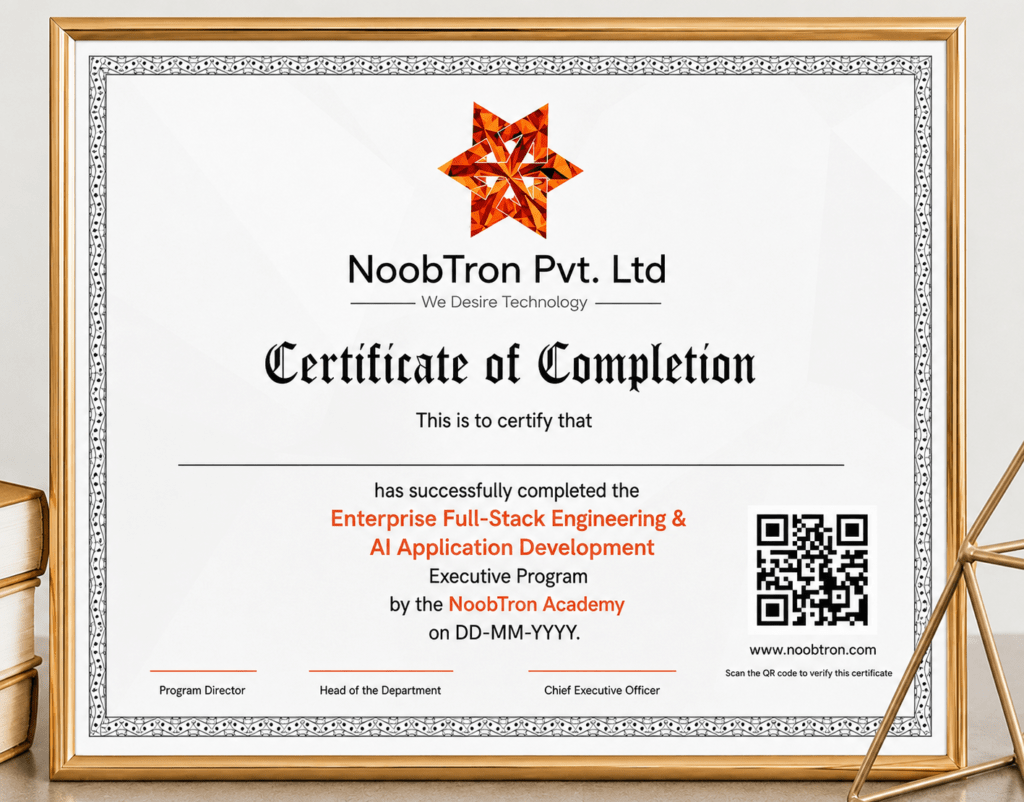
CERTIFICATION
Earn an Industry-Recognized Certificate from NoobTron TechWorks
Successfully complete the Advanced AI & Web Development with Python program and receive a professional certification that validates your expertise in Python programming, Artificial Intelligence, modern web technologies, and real-world application development.
Demonstrate your readiness to build, deploy, and scale intelligent web applications with confidence.
Starting at
₹4,999 / Month*
Total Program Fee: ₹25,000*
Start Learning with Just ₹10,000
Upfront
Pay the remaining amount in 3 easy monthly installments of ₹4,999 each.
WHAT’S INCLUDED
Python Programming Mastery
Core Python, OOP, data handling, automation, and industry coding practices.
Artificial Intelligence & Generative AI
Prompt Engineering, AI APIs, LLM integration, AI agents, and intelligent automation.
Django, FastAPI, databases, REST APIs, frontend integration, and deployment.
Industry Projects & Certification
35%
Organizations worldwide are already using AI in at least one business function.
McKinsey Global Survey on AI, 2024
TIOBE Index, GitHub Octoverse, Stack Overflow Developer Survey
World Economic Forum – Future of Jobs Report 2025
Glassdoor, Indeed, Levels.fyi Industry Reports
WHERE MODERN SOFTWARE ENGINEERING IS HEADING
$120K+
Graduates may pursue roles such as:
- Full-Stack Developer
- Software Engineer
- Frontend Developer
- Backend Developer
- AI Application Engineer
- Cloud Application Developer
- Product Engineer
- Solutions Developer
- Technical Consultant
Yes. Upon successful completion of the program, learners receive the NoobTron
TechWorks Certificate of Excellence recognizing their skills in Full-Stack Engineering,
Cloud Technologies, and AI Application Development.